If you already run ecommerce for a manufacturer or distributor, choosing a platform is not a greenfield storefront decision. You are picking the system that has to carry contract pricing, account roles, approvals, and ERP-backed inventory without turning every exception into a ticket.
Knowing how to choose a B2B ecommerce platform means evaluating native account rules, catalog truth, and three-year operating cost, not scoring a retail feature list. A login and a cart are not enough if signed-in buyers still cannot see their price, route an approval, or trust what the site shows.
If Shopify, WooCommerce, or another retail-first stack is what you have today, you are choosing a replacement, not a first store. The new system still has to hold contract price, account roles, and ERP numbers. Put a shortlist through the B2B ecommerce platform comparison tool and see which vendors actually support those jobs.
Practical test: Ask the vendor to place one order as a named account with contract price, a spend-threshold approval, and a credit term. If that demo needs a custom story, the platform is not ready for how you sell.
The hidden cost of choosing wrong
A weak platform choice rarely shows up as one outage. It shows up as buyers who still call the rep, sales who keep a shadow price file, and IT who patches catalog and order errors after go-live. You lose time, trust, and the next change cycle, not only a license fee.
Implementing a platform customers never use
The failure is not “nobody logged in.” It is that signed-in buyers still cannot finish the jobs they already do with a rep: find the right SKU, see their price, approve an order, and reorder without help. If the storefront is prettier than the old site and the phone queue does not drop, adoption failed.
A poor first digital experience is enough for a professional buyer to keep the relationship on email. You should treat usability as an account-retention risk, not a design preference.
Choosing a B2C platform for B2B needs
Shopify, WooCommerce, and other retail-first platforms can look fast in a demo. They usually lack native customer-specific pricing, multi-buyer accounts, credit terms, and approval chains, so you pay for custom work or you migrate again. B2B buying is a different job: contract price, bulk order, quote-to-order, and role-based access inside one company account.
If the vendor’s answer to those gaps is “we can customize that,” you are buying a retrofit. That pattern is usually how B2B ecommerce replatforming starts: the site still takes orders, but every new account rule is another project.
Ignoring integration complexity
Your ERP often already owns inventory, list and contract price, credit limits, and order history. A commerce layer that cannot stay aligned with those records creates silos, manual uploads, and order errors. Integration delay is a common reason implementations slip, because the storefront cannot go live on fake numbers.
Treat ERP, PIM, and warehouse connections as part of the platform decision. They are not a ticket you open after the contract. ERP and ecommerce alignment walks through what happens when price, inventory, or customer records disagree across systems.
Underestimating total cost of ownership
License cost is the visible line. Implementation, data cleanup, custom workflows, training, support, transaction fees, and the staff time to run exceptions are the rest of the bill. Teams that only compare list price approve a number they cannot operate.
You need a three-year view: year-one stand-up, years two and three to change catalogs, add brands, or open a market. Factor 12 below is that view, not a vendor ROI slide.
The 12 factors that decide the platform
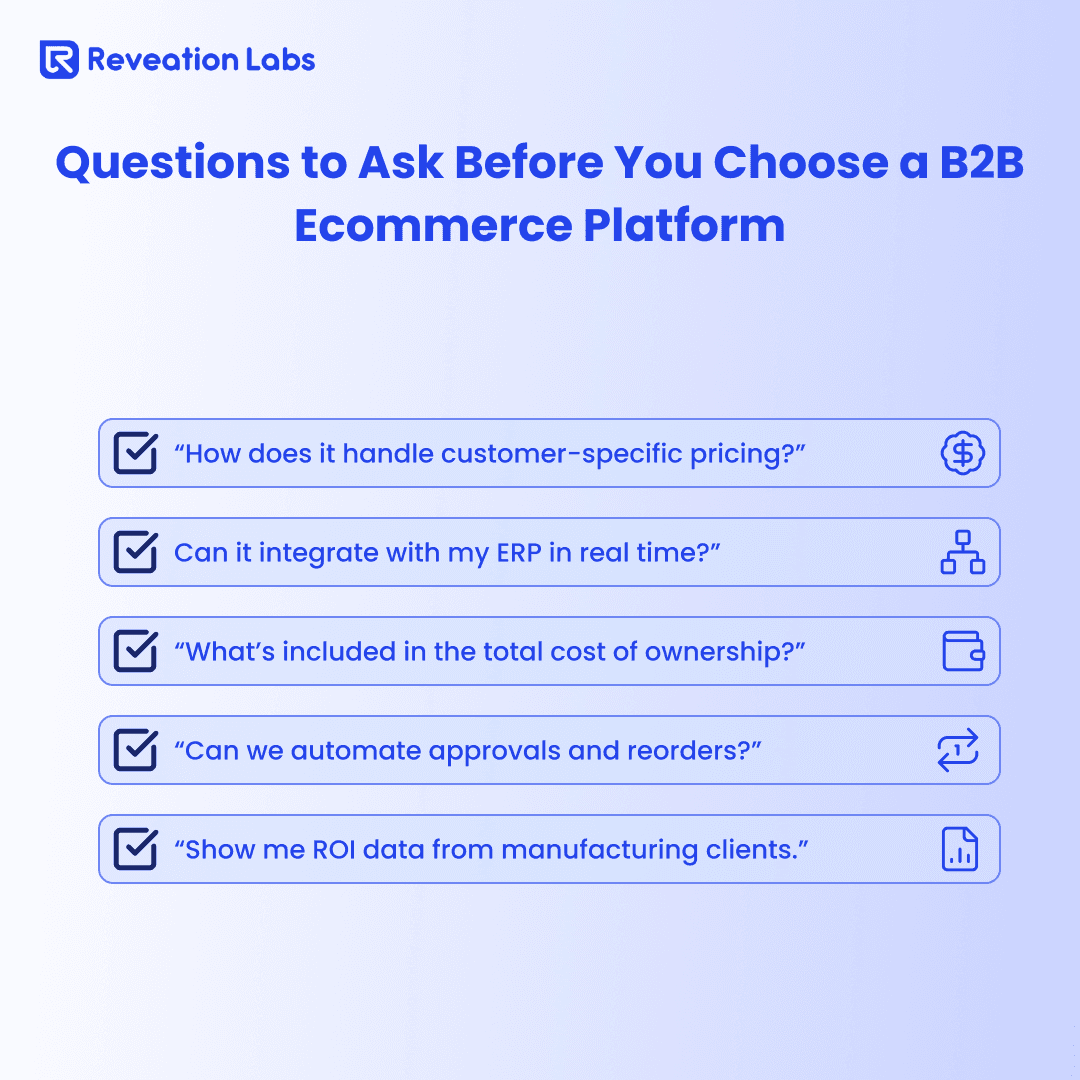
Use these twelve as one evaluation, not as twelve separate RFPs. Each factor below is what to inspect on a live demo with your data: why it matters, what to look for, what to ask, and what should stop the conversation.
1. Native B2B functionality
B2B is not retail checkout with a login. You need contract and tier price, approval gates, credit terms, and several buyers inside one company account, including role-based access so purchasing, engineering, and finance do not share one permission level.
Subscription-style or contract commercial terms belong here as account price, not as a second public SKU. If those rules are apps or custom code, you will relitigate them at every upgrade.
1. Look for: customer-specific and contract pricing, volume and tier rules, multi-level approvals with spend thresholds, account hierarchies, quote-to-order / RFQ, Net terms, purchase orders, and credit limits.
2. Ask vendors: show one buyer with custom price, an approval chain, and a credit term placing an order; how customer-specific catalogs work; whether minimums and bulk price apply without a developer.
3. Red flags: “we can customize that” for basic B2B; a B2C core with B2B add-ons; no native approvals or account price.
2. ERP and system integration
Without a trustworthy connection to ERP (and usually CRM, WMS, or accounting), the site becomes a second set of books. Batch CSV drops and overnight syncs show stale inventory and price, which is how buyers stop trusting the channel.
Ask what happens when ERP is down or a sync fails. A platform that only works on a happy-path demo will dump exceptions onto your service team.
1. Look for: named connectors or proven patterns for your ERP (SAP, Oracle, NetSuite, Microsoft Dynamics, Epicor, IFS, and others you actually run); near-real-time inventory, price, and order status; bidirectional order flow; APIs you can extend; room for CRM and warehouse systems.
2. Ask vendors: which ERPs they integrate with natively, and show a live demo; what a typical integration includes versus paid extras; how downtime and failed syncs are handled.
3. Red flags: “we integrate with anything” with no specifics; no reference customer on your ERP; mandatory expensive middleware; CSV as the primary method.
3. Catalog, search, and bulk ordering
Manufacturers and distributors often carry large catalogs with specs, variations, and compatibility. If buyers cannot find a part number, cross-reference, or the SKUs they are allowed to buy, they abandon search and email the rep.
You do not need a search-architecture spec to choose a platform. You need a buying-job test: can a signed-in account find, configure, and bulk-order the products they already purchase.
1. Look for: customer-specific catalogs, faceted search on specs and part numbers, synonym and cross-reference support, CPQ or configurators where you sell configured products, CSV / quick-order / reorder-from-history, rich attributes (specs, CAD, certifications).
2. Ask vendors: how they handle 10,000-plus SKU catalogs with technical data; a search using part numbers and cross-references; whether buyers can upload a CSV to order.
3. Red flags: keyword box only; no custom attributes; catalog updates only by hand with no bulk import.
4. Mobile buying
Many B2B buyers start a product search on a phone and finish on a desktop, or they reorder from a warehouse floor. A desktop-only catalog with a squeezed layout is a self-service tax. Cart and price must match across devices, or you will get duplicate orders and angry calls.
You do not need a separate branded app if the responsive site can browse, approve, and reorder. You do need the same account price and catalog rules on a phone as on a desktop.
1. Look for: one responsive experience (not a second mobile site), touch-friendly catalog and checkout, cart persistence across devices, feature and price parity.
2. Ask vendors: a mobile walkthrough of browse, order, and account tasks; how cart persistence works; whether any “app” is a different catalog or price list.
3. Red flags: “mobile coming soon”; a separate app with different features; a desktop-first layout that is hard to use in one hand.
5. Workflows you can change
Manual routing is slow and easy to get wrong when several people must approve an order. You want approval chains, quote negotiation, reorder, split shipments, and triggers that match customer, product, or order value, without a development ticket for every change.
Workflow customization is the difference between a platform you operate and a platform you wait on. If every exception needs professional services, you did not buy flexibility.
1. Look for: multi-level approvals that route on value or rules, quote request-to-order, one-click reorder and standing orders, split or partial fulfillment, admin-configurable triggers.
2. Ask vendors: walk through a purchase that needs manager approval; how repeat customers reorder; whether workflows change without developers.
3. Red flags: all workflows are custom code; no built-in approval or quote path; reorder means searching the catalog again from scratch.
6. Self-service after the order
Buyers expect to see order history, invoices, credits, shipment status, and user admin without calling customer service. A catalog that cannot show those records is a storefront, not an account channel. Login is not the same as self-service.
If the “portal” is a second login with a thinner catalog, you will train buyers to ignore it. Customer portal vs storefront is the split when discovery and account service are being forced into one surface.
1. Look for: searchable order history and reorder, invoices and payments, live order tracking, address and user management, returns or claims where you offer them.
2. Ask vendors: what a customer can finish without a phone call; the buyer dashboard; how invoices and payment history appear.
3. Red flags: most tasks still require a call; no historical orders or invoices; a separate portal login from the commerce site.
7. Personalization that matches how you sell
Useful personalization in B2B is account-aware: the catalog they can buy, the price they contracted, reorder hints from their history, and search that understands your part language. A generic “customers also bought” widget is not that.
Treat vendor AI claims as a demo, not a strategy. Ask what the model uses (this account’s history vs. a public catalog) and who can override a bad recommendation.
1. Look for: recommendations from purchase history and similar accounts, reorder suggestions, customer-specific content or catalogs, search that handles synonyms, tools that help a rep check stock or next-best product.
2. Ask vendors: how the experience differs by account; which features actually speed findability; how reps are assisted, not replaced.
3. Red flags: one catalog and one price for every buyer; “AI” that is only a filter; no way to turn a bad recommendation off.
8. Scale and international expansion
You will add SKUs, buyers, brands, channels, or countries. A platform that only works for today’s catalog size or one storefront will force another migration. International work is not a language pack; it is currency, tax, catalog, and fulfillment rules per market.
PunchOut, EDI, and marketplaces sit here when they are real channels for you. Do not pay for omnichannel theater if those channels are not on the two-year plan.
1. Look for: architecture that holds up as catalog and traffic grow, multi-store or multi-brand from one backend, multi-currency / language / tax, channel options you actually use, performance on large catalogs and bulk orders.
2. Ask vendors: how they handle growth in SKUs, users, and transactions; the largest similar deployment they will discuss; how a second country or brand is added.
3. Red flags: on-premise only with no path you can staff; performance that dies as the catalog grows; international as a costly add-on; no multi-store support if you already run brands.
9. Security, roles, and compliance
A commerce site holds account price, credit, and sometimes card data. Different internal roles (sales, marketing, warehouse, finance) and different buyer roles need different permissions. Industry and regional rules (PCI scope, GDPR where you sell in-scope, audit trails) are part of vendor due diligence, not a checkbox on a slide.
Do not treat PCI DSS Level 1 as automatic. Ask who is in scope, what the current attestation covers, and what remains your responsibility.
1. Look for: current security certifications they can show, encryption in transit, granular role-based access, activity logs, MFA options for staff and buyers, a clear data-protection story for the regions you sell into.
2. Ask vendors: certifications and date; how PCI is handled in their architecture; a live walkthrough of role-based access.
3. Red flags: security sold only as a premium SKU; no named PCI story; coarse permissions (admin vs. everyone).
10. Analytics you can act on
You cannot improve a channel you cannot see. You need account-level behavior (search, view, abandon), sales by customer / product / region / rep, and the ability to export or build reports, not only a total-orders tile.
ROI tracking belongs here as instrumentation, not as a promised payback percentage. If you cannot see where buyers drop off, you will argue from anecdotes.
1. Look for: search and abandon insight, sales dashboards with account cuts, custom or exportable reports, product contribution, a conversion path you can inspect.
2. Ask vendors: out-of-the-box reports; whether you can build or export your own; customer-behavior views; how they expect you to track channel contribution.
3. Red flags: only total sales and order count; no account-level view; no export; reporting as a paid extra for basics.
11. Vendor support and industry fit
You are buying a multi-year operating partner. Response times, implementation help, a living product roadmap, and proof they serve manufacturers or distributors (not only retail) matter as much as a feature grid.
Ask how many customers look like you, and whether support is a shared inbox. A declining or retail-only book of business is a risk to the roadmap you will live on.
1. Look for: named support model and SLAs, implementation and onboarding, a roadmap they will discuss, an ecosystem of apps and developers, manufacturing or distribution references.
2. Ask vendors: what support is included and typical response; the 12–24 month roadmap; how many manufacturing or distribution customers they serve.
3. Red flags: email-only with no SLA; no roadmap; vendor is primarily B2C retail; they cannot name a similar customer.
12. Total cost of ownership
Platform cost is license plus implementation, customization, training, maintenance, marketing to drive adoption, transaction fees, and the internal time to run the system. Hidden lines destroy a business case that looked cheap at signature.
There is no honest universal ROI calculator. Ask for all-in year-one and years two–three, implementation ranges for companies with your catalog and ERP shape, and reference customers willing to talk about cost. Treat those as inputs, not as your forecast.
1. Look for: transparent license, fees, support, and hosting; implementation estimates tied to your requirements; a cost framework you can model; references; CapEx vs. OpEx options if that matters to finance.
2. Ask vendors: all-in year one and years two–three; typical implementation for a company like yours; ROI stories they can actually introduce; costs often missing from the first quote.
3. Red flags: “contact us” with no ranges at all; low license with punitive transaction fees; implementation quotes that assume clean data; no customer who will discuss cost.
Warning: A low year-one license with high transaction fees, mandatory middleware, and a custom-approval build is not a cheaper platform. It is a deferred invoice.
Comparison framework: scoring your options
You can put three to five vendors across the top of a matrix and the twelve factors down the side. Score each cell 1 (poor) to 5 (excellent) from a demo on your data, then apply weights that match how you sell.
The sample weights below are a starting point for many manufacturers and distributors. Change them if mobile field sales, a second country, or analytics is your actual bottleneck.
| Priority | Weight | Factors |
|---|---|---|
| High | 3× | ERP integration, native B2B functionality, catalog management |
| Medium | 2× | Automation / workflows, scalability, security, TCO |
| Standard | 1× | Mobile, personalization, self-service, analytics, vendor support |
Weighted score = factor score × weight. Sum the twelve weighted scores per vendor. The highest total is a fit signal, not a purchase order.
Validate the numbers before you treat them as a decision. Ask for industry references, insist on live demos rather than a canned deck, load a slice of your catalog and price files, and put sales and customer service in the room so a pretty admin does not outvote the people who will run exceptions.
Once you have three to five vendors, compare them on price, catalog, and ERP the same way you scored the twelve factors. The B2B ecommerce platform comparison lays those differences out in one table.
Tip: Score the demo you saw with your SKUs and accounts. Do not score the slide that promised they are all in the roadmap.
The implementation success checklist
Choosing the platform is half the work. The other half is data, integrations, training, and adoption after go-live. Length depends on catalog quality, how many systems must connect, and how much custom workflow you still need; do not treat a vendor’s calendar as a guarantee.
Before you sign
1. Define success in operations: orders through the site, account adoption, exception volume, not only a launch date.
2. Name an executive owner: someone who can settle catalog, price, and ERP conflicts.
3. Staff the work: IT, sales, marketing, operations, and finance each have a named role.
4. Document current processes: what is broken, what must not break on day one.
5. Set a timeline from your map: catalog, integrations, and data quality decide duration, not a generic range.
During implementation
1. Clean source data: products, customers, and price files before you migrate them.
2. Test the unhappy path: failed sync, partial fulfill, approval reject, not only the demo order.
3. Train the operators: sales, service, and marketing on the jobs they will do in the new admin.
4. Plan customer onboarding: who gets invited, what they can do on day one, who supports the first reorders.
After launch
1. Watch adoption in the first weeks: who logs in, who still emails the rep, which queries fail.
2. Fix friction fast: search misses, price mismatches, and permission errors will show up immediately.
3. Share visible wins: buyers and internal teams should see progress. Do not stop at a minimum-viable catalog if the original jobs are still offline.
If you are already committed to moving data and workflows, the migration checklist for distributors and wholesalers covers cutover continuity. Use the twelve factors first if you are still deciding whether a new platform would change how work gets done.
After you score the vendors
How to choose a B2B ecommerce platform is an operating decision: native account price and approvals, catalog findability, ERP truth, and a cost model you can live with for years. The twelve factors, the weighted matrix, and the implementation checks are the evaluation. They are not a vendor winner list.
Manufacturers and distributors need a system built for complex pricing and account structures, not a generic cart. Deep ERP connection, catalog depth, changeable workflows, and room to grow are the tests. A partner who only knows retail checkout will optimize the wrong demo.
If you want a short, fixed-scope way to map those tests against a live stack, book a B2B eCommerce Discovery Sprint. Bring the account, price, and ERP constraints you already know. We will help you separate a platform that can carry them from a retrofit that will recreate the ticket queue.
Ready to test your replatform readiness?
Book a scoped working session with Reveation Labs. We will help you clarify the gaps that matter before you commit the next build.