
Ecommerce Implementation Services: How to Launch a B2B Store That Actually Works
Many B2B ecommerce failures aren’t caused by the idea—they’re caused by execution: unclear requirements, shaky integrations, and a launch plan that doesn’t match how B2B buyers actually purchase.
What goes wrong
- Requirements stay vague until late
- Data mapping is treated as “later” work
- Integrations don’t reflect real workflows
What wins
- Treat implementation like a business program
- Align teams from discovery through launch
- Test real buyer scenarios end-to-end
Did you know that approximately 80% of B2B eCommerce businesses fail within the first two years? Many of these failures aren’t caused by the idea, they’re caused by execution: unclear requirements, shaky integrations, and a launch plan that doesn’t match how B2B buyers actually purchase.
Most of the root causes are predictable. When you treat implementation like a business program (not a website project), you protect revenue, shorten time-to-launch, and avoid costly rework that shows up months later as “mystery issues.”
Why implementation services matter
That’s where proper eCommerce implementation services make the difference. Think of it as building the foundation and the plumbing—not just painting the walls. A solid foundation helps you scale faster, integrate cleanly, and deliver a buying experience your customers will actually adopt.
When you plan carefully and execute properly, you reduce delays, prevent data surprises, and keep teams aligned from discovery through launch.
What Are Ecommerce Implementation Services?
Ecommerce implementation services cover the full process of setting up an online store to sell products or services—far beyond publishing a storefront. In B2B, implementation includes system design, integrations, data readiness, security, testing, and change management across teams.
It involves choosing the right B2B eCommerce platform, integrating key systems, testing workflows end-to-end, securing customer data, and training your team to run the new process, not just the new UI.
A strong implementation supports growth by expanding reach, improving conversion, and lowering cost-to-serve. It also reduces operational risk by making pricing, inventory, and customer permissions reliable across channels. That’s what separates “a site that exists” from a commerce engine that performs.
Without proper planning and execution, your store becomes a collection of disconnected features—hard to maintain, hard to scale, and easy for buyers to abandon.
Planning Your Ecommerce Project
Before you build anything, you need a plan that reflects how your B2B business sells today—and how you want it to sell tomorrow. This is where implementation efforts typically succeed or stall: teams jump into design before agreeing on workflows, data rules, and ownership.
Start with the decisions that protect the timeline
- Define clear goals: Who are your target customers and buying roles? What products and configurations will you sell online? What revenue and adoption targets should the channel hit in year one?
- Decide essential features upfront: Account pricing, buyer permissions/approvals, quick order and reorder, and quote-to-order (even if quoting starts “assisted”).
- Separate day-one self-serve from high-touch: Clarify what must be automated at launch versus what remains assisted.
Making these decisions early saves a tremendous amount of time later. When requirements are clear, your developers build faster, QA becomes simpler, and stakeholders stop re-litigating scope mid-sprint.
Consulting with stakeholders is equally important; talk to finance, sales, marketing, and customer service. Each team sees different failure modes—credit terms, pricing exceptions, returns, and customer onboarding. When expectations are aligned, projects run smoother and launch adoption is higher.
Picking the Right Platform
This decision affects everything that comes after. The popular choices are Shopify, Virto Commerce, WooCommerce, and OroCommerce.
Before comparing features, start with your decision criteria: How complex is pricing and contracting? Do you need buyer roles and approvals? How many integrations are required (ERP, CRM, PIM, OMS, CPQ)? What does scale look like in 12–24 months? A simple checklist keeps platform selection grounded in business realities instead of demos.
Shopify
- Easiest to use and fastest to launch
- Best when workflows don’t require deep customization
- Fees and customization limits can matter as complexity grows
Virto Commerce
- Strong flexibility and customization
- Connects well with ERP/CRM; supports complex rules
- Fits orgs where integrations and business rules are core
Virto Commerce is also designed to grow with your business, so it can handle more traffic and data as you expand.
OroCommerce
OroCommerce focuses on giving you everything you need for B2B selling right from the start. It supports different buyer roles and pricing levels and often fits manufacturers, wholesalers, and distributors that want B2B-first workflows without heavy customization to “get the basics.”
You can manage quotes, repeat orders, and multiple business units without needing a lot of extra setup.
Compared to platforms like Magento or WooCommerce, Virto and Oro are easier for B2B companies because they already include the features that others need custom development to achieve.
Consider your budget carefully, and think about the technical skills in your team. Ask yourself if you'll grow quickly and need scalability. How many integrations do you need? Make a checklist specific to your business needs and compare each platform against it.
Handling Technical Issues in Ecommerce Implementation Services
Integrating your new store with existing software is hard—and in B2B, it’s usually the make-or-break workstream. You might need to connect your eCommerce store with an ERP system (Enterprise Resource Planning, the system that runs core business processes).
You might also have a CRM (Customer Relationship Management tool) that stores customer data and purchase history. Data migration from old systems to new ones is where issues surface: mismatched fields, missing records, duplicate accounts, and inconsistent product definitions.
Common failure pattern
Your current system stores data differently than the new platform expects, mapping rules aren’t finalized early, and edge cases appear late in testing. When that happens, projects slip and teams start patching issues instead of building a stable foundation.
How to prevent the slip
- Treat data as a first-class deliverable (not a cleanup task)
- Share every system that must be connected early
- Run test migrations with non-production data
- Validate outputs with sales ops, finance, and customer service
Have a backup plan always, and document everything. Good documentation shortens incident response, reduces dependency on individual team members, and helps you scale new features without regressions. Regular backups ensure you never lose critical information.
Linking Your Store with Other Tools
Real-time inventory management is non-negotiable. When a customer buys something, your stock should update instantly (or at least predictably). If you sell across channels (website, marketplaces, field sales, EDI), you need inventory signals that stay consistent everywhere buyers place orders.
What happens when systems aren’t connected
Imagine overselling because your systems weren't connected. You promise fast shipping, but fulfillment can’t deliver. Customers get frustrated, support costs rise, and your team ends up doing manual exception handling.
CRM integration keeps customer data in one place so teams can respond faster and personalize appropriately. It also supports cleaner segmentation and lifecycle engagement—especially when buying decisions involve multiple stakeholders and long reorder cycles.
Payment gateway setup must be rock solid. Instead of vague claims, focus on proven controls: PCI-aligned processing, tokenization, fraud monitoring, and reliable payment workflows that match your terms (cards, ACH, net terms where applicable). Make sure your processor integrates cleanly and fails gracefully under edge cases.
Making Shopping Easy for Customers
Your store experience matters because it determines adoption. In B2B, “easy” means buyers can complete their task quickly: find the right SKU, verify availability, confirm pricing, and place an order with the right permissions. Clear navigation helps, but B2B buyers often rely on search, quick order forms, saved lists, and reorder-from-history.
What “good product pages” mean in B2B
- Specs, compatibility, pack sizes, substitutions
- Lead times and availability signals buyers can trust
- Supporting documentation and clean attributes
Mobile experience still matters, but the priority is practical usability: readable tables, easy search, fast account login, and quick reorders. Many B2B customers research mobile and complete purchasing on desktop or through procurement processes, so ensure the experience works cleanly across devices, not just on one.
Page speed determines whether customers stay or leave, and slow pages increase support and sales assistance. Aim for fast, consistent performance across catalog browsing, account pricing views, and checkout, especially during peak traffic or customer order cycles.
Simplify checkout: the more steps you add, the more people abandon. The current cart abandonment rate is approximately 70% globally.
Reduce abandonment by removing surprises
- Avoid extra costs appearing late in checkout
- Don’t force unnecessary account steps
- Make terms and security expectations clear
Modern B2B ecommerce solutions improve buyer adoption by combining a clean experience with better data visibility, stable integrations, and workflows built for real B2B purchasing.
Keeping Your Store Safe
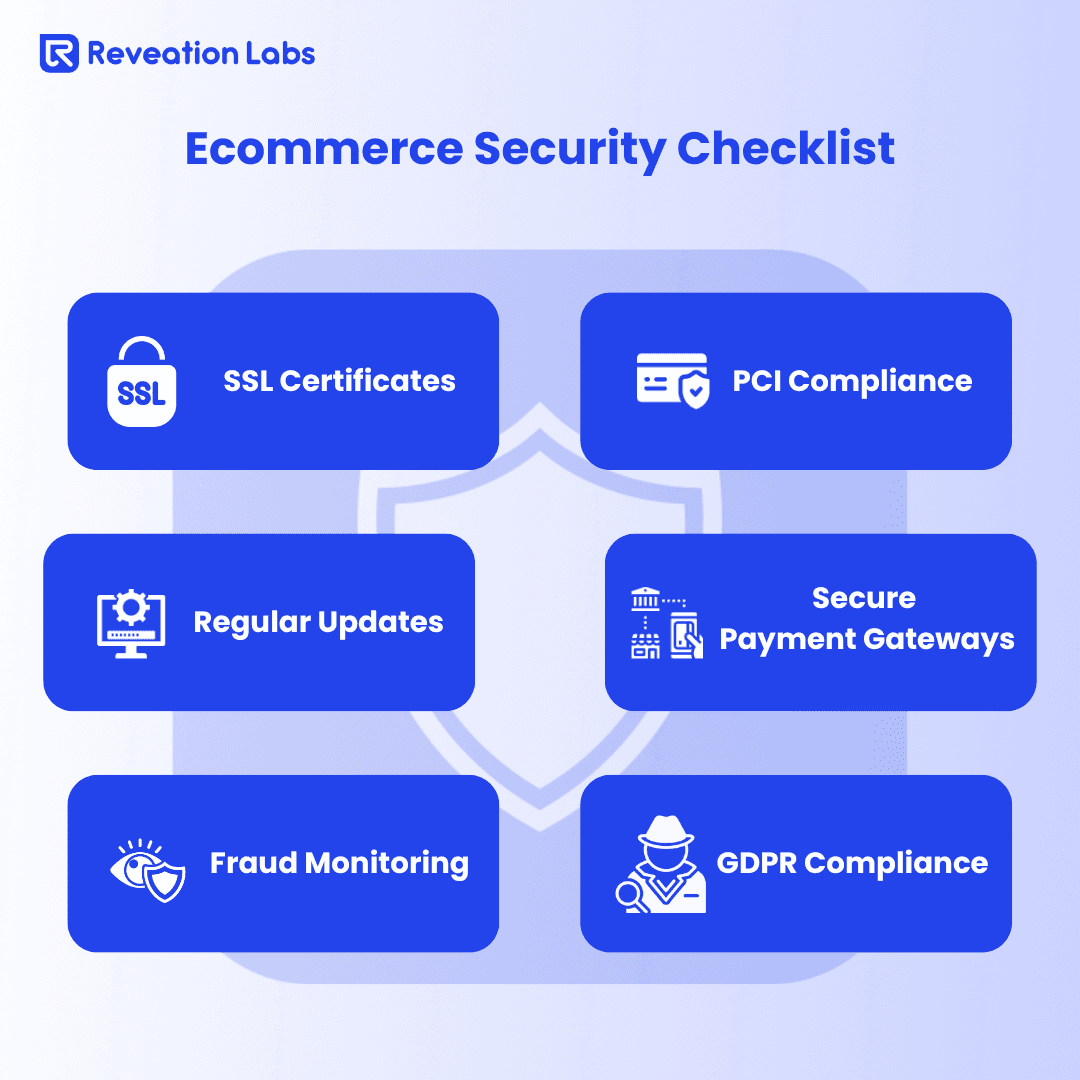
Security isn't optional; it's mandatory. Install an SSL certificate to encrypt data between the customer's browser and your server, and ensure it’s configured correctly across every environment (including staging and any subdomains).
PCI compliance (Payment Card Industry compliance) is required when handling payment information. In practice, aim to reduce risk by using compliant processors, limiting data exposure, and ensuring sensitive information is never stored where it shouldn’t be.
- Use current encryption standards
- Limit access with role-based controls
- Enforce strong authentication and monitor continuously
- Maintain audit logs for approvals, pricing changes, and key actions
Implement data privacy rules like GDPR. This protects customer information and requires transparency, consent mechanisms, and access controls. Even if you’re not in Europe, if you serve EU customers or partners, you must comply.
Build fraud and abuse safeguards: monitor login attempts, flag unusual order patterns, and protect admin access. These controls prevent small incidents from becoming major disruptions.
Testing Everything Before Launch
Never launch without testing: Three types of testing matter most for eCommerce implementation services. In B2B, testing isn’t just “does the cart work?”, it’s “does pricing, permissions, and integration behavior match real buyer scenarios?”
Functional testing
- Registration and login to the right account
- Roles, approvals, and permissions behave correctly
- Cart and pricing rules apply reliably
- Purchase orders and key workflows work end-to-end
Performance testing
- Large catalogs and pricing rules under load
- Multiple users ordering simultaneously
- Bottlenecks caught before launch-week incidents
Security testing
- Scan code and dependencies
- Validate access controls and data handling
- Test business-logic abuse (roles, pricing, approvals)
Use performance analytics to identify and fix these issues before they impact real users.
Usability testing involves real people trying out your store while you observe where they hesitate. In B2B, watch for friction in search, account switching, reorder, and checkout steps—those are the highest-volume paths.
Use a staging environment, which is a copy of your store where you test everything before customers see it. Let a small group of trusted customers and internal users try it first, then iterate based on their feedback before broad rollout.
Training Your Team
Implementation succeeds when teams adopt the new way of working. Create simple guides, short training videos, and role-specific “how-to” playbooks. Don’t assume people will infer the process from the interface.
- Cover order management: Teach staff how to process orders, handle returns, and track shipments.
- Train customer service on account lookup, pricing visibility, and issue resolution.
- Help finance understand how terms, invoices, and payments map to reporting.
Plan for ongoing support: New hires need onboarding, and existing staff need refreshers as workflows evolve. Also, define who owns day-to-day platform configuration versus who owns integrations and data governance.
Measuring Success and Improving Continuously
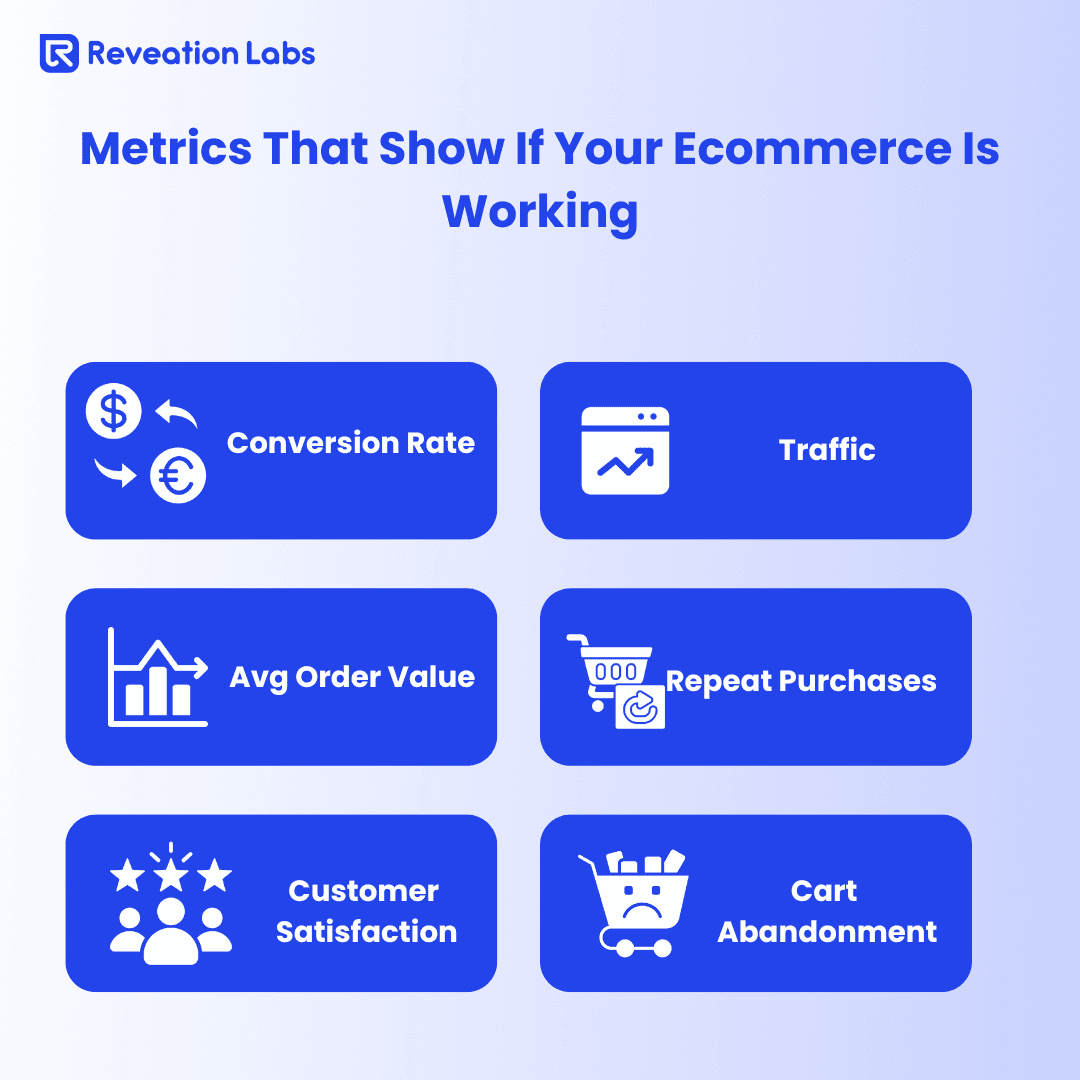
Track the right metrics: Revenue matters, but it’s only part of the picture. Track conversion, average order value, repeat rate, quote-to-order performance (if quoting exists), and support tickets per order. These reveal whether your store is reducing friction or simply shifting work elsewhere.
Use Google Analytics: to understand traffic, behavior flows, and drop-off points—then pair it with operational data (ticketing, returns, fulfillment exceptions) to see the full impact. Heatmaps and session replays can help, but only if you connect findings to concrete backlog items.
The key is continuous improvement: launch, learn, and iterate. Instead of chasing vanity “feature lists,” focus on reducing time-to-order, improving pricing accuracy, and minimizing exceptions. Small improvements add up quickly when they remove handoffs and manual work.
Finding the Right Help for Ecommerce Implementation Services
You don't have to do this alone; a strong eCommerce implementation partner reduces risk, keeps teams aligned, and helps you avoid expensive mistakes that only show up after launch.
Interview checklist
- Proven experience: Past projects, complexity handled, and outcomes improved.
- Technical depth: Platform fluency plus integration and data-contract discipline.
- Industry fit: Familiarity with quoting, permissions, terms, and exception handling patterns.
- Post-launch support: Monitoring, incident handling, and safe enhancement process.
- Tough questions: Data migration approach, testing for pricing/permissions, documentation standards, and first 90 days post-launch.
The best relationships are long-term. Your implementation provider should help you launch, stabilize, and keep improving as buyer needs and systems evolve.
Many companies overcome these challenges by leveraging B2B eCommerce consulting, which ensures their implementation roadmap is aligned with scalable technology, optimized workflows, and long-term business growth.
Your Path Forward
Ecommerce implementation services are complex, but they don’t have to be painful. When you plan properly, choose the right tools, and execute carefully, your online store becomes a reliable channel that supports growth and reduces operational drag.
Remember, 80% of eCommerce businesses fail, but this doesn't have to be you. The teams that thrive treat implementation as a staged program: align requirements, stabilize integrations, test real workflows, and build the habits that keep improving after launch.
Start with strategy and goals, choose your platform carefully, and execute your ecommerce implementation services with disciplined testing and change management. Train your team, measure outcomes, and keep optimizing. The result is a customer experience that buyers actually adopt, and operations can actually support.