

Your buyer enters a manufacturer part number, equipment model, specification, or familiar industry term into your search bar. Your site returns no useful results, shows unrelated products, or forces the buyer to browse several categories.
The product may exist in your catalog, but your search experience cannot connect the buyer’s language with your product data. The buyer then calls sales, submits a vague request, or leaves for a competitor that makes the product easier to find.
B2B eCommerce search helps buyers find products, parts, documents, and compatible alternatives through part numbers, specifications, applications, technical language, and account context.
Strong search does more than match words. It interprets the query, retrieves suitable products, ranks the best matches, and helps the buyer narrow the results. This article focuses on search inside your storefront or authenticated buying experience, not organic search rankings.
Why B2B Product Search Is Harder Than Retail Search
Consumer shoppers often search by product name, brand, category, color, or a broad description. B2B buyers may search by an exact SKU, an old part number, a customer code, a technical standard, an equipment model, a material, or a performance range.
The same product may carry several valid names. An engineer may use the technical term, a technician may use field shorthand, and procurement may use an internal item number. Manufacturers may organize catalogs around engineering classifications, while distributors may combine supplier data that uses inconsistent labels, units, and descriptions.
This complexity changes what B2B eCommerce search must understand. The system must distinguish an exact lookup from a broader research query and respond appropriately.
| Retail Search Often Uses | B2B Product Search Often Uses |
|---|---|
| Product names and categories | SKUs, part numbers, models, and specifications |
| Public products | Public and account-specific assortments |
| Simple variants | Compatibility, substitutions, and replacement relationships |
| Consumer language | Engineering, field, procurement, and trade terminology |
| Individual preferences | Company roles, approvals, contracts, and entitlements |
A buyer who enters an exact part number expects one precise result. A buyer who searches for “corrosion-resistant pump for chemical transfer” expects several suitable products and filters that reflect the application.
Search Quality Starts With Product Data
Search technology cannot use information that your catalog does not contain. If your records lack dimensions, materials, certifications, applications, compatibility, or replacement mappings, the engine cannot use those details to retrieve or rank products.
Manufacturers often keep valuable engineering relationships in PDFs, spreadsheets, internal systems, or employee knowledge. Distributors may receive incomplete supplier records that use different names, units, and attribute structures.
Your B2B eCommerce search foundation should include:
- Consistent product names and categories
- Manufacturer, distributor, legacy, and customer part numbers
- Complete technical attributes and standardized units
- Applications, industries, and operating conditions
- Equipment compatibility and accessory relationships
- Replacement, supersession, and substitute mappings
- Certifications, standards, and searchable document metadata
- Availability, lifecycle, and discontinuation status
We often find that teams blame search technology for catalog problems. A new engine may add useful capabilities, but it will not create missing attributes or relationships. We help teams strengthen product data so every channel can use consistent, governed information.
Start with your highest-value queries: Compare what buyers type with the attributes, part numbers, documents, and relationships that your catalog actually stores.
How Strong Search Interprets Real Buyer Queries
Your buyers will not always use the terminology your product team selected. They may remove hyphens, change capitalization, enter another unit, use an abbreviation, misspell a brand, or search through a discontinued identifier.
Strong B2B eCommerce search normalizes those variations before it retrieves products.
Prioritize Exact Identifiers
Give exact SKUs, manufacturer part numbers, customer part numbers, model numbers, and document numbers strong priority. Treat formatting variations such as AB-1200, AB1200, and ab 1200 as the same lookup when your data confirms the match.
Connect Synonyms and Industry Language
Buyers may use “rooftop unit” or “RTU,” “stainless steel” or “SS,” and “variable-frequency drive” or “VFD.” Build synonym rules from search logs, service requests, sales conversations, and field language, but avoid broad rules that create technically inaccurate matches.
Normalize Units and Extract Attributes
Connect equivalent formats such as 1/2 inch, 0.5 in, and 12.7 mm when the product data supports the conversion. Extract values such as voltage, pressure, capacity, material, temperature, and certification from longer queries.
Consider the query “208V replacement motor for rooftop unit model X.” The system should recognize the voltage, product type, equipment model, and replacement intent, then return compatible motors rather than every product that contains one matching word.
Our article on industry search explores technical terminology, part numbers, unit normalization, and relevance patterns in more depth.
Rank the Best Products and Help Buyers Narrow the List
Retrieving several possible products solves only part of the task. Your search must place the strongest matches first and give buyers practical filters for large result sets.
Put Buyer Relevance First
Rank results through signals such as exact identifier match, product-name match, attribute fit, compatibility, approved substitution, account eligibility, availability, and lifecycle status. Change the weight of each signal according to the query.
Do not place high-margin or promoted products above an exact technical match. Merchandising rules should improve a relevant result set, not hide the product that best meets the buyer’s requirement.
Use Filters That Reflect the Buying Decision
A distributor may offer thousands of motors, valves, pumps, filters, fasteners, or electrical components. Buyers need category-specific filters rather than every attribute in the database.
- Manufacturer and product family
- Size, material, voltage, capacity, or pressure
- Certification and operating range
- Equipment compatibility and application
- Availability, region, or branch
Use readable labels, standardized units, result counts, and mobile-friendly controls. Preserve selected filters when buyers open a product and return to the results.
What Buyers Experience When Search Fails
Poor B2B eCommerce search creates patterns that your analytics, sales teams, and customer-service teams can identify.
No results
Likely cause: Typo, missing synonym, old SKU, unsupported unit, or missing product data
Better response: Suggest a correction, replacement, related term, category, document, or assistance path
Too many results
Likely cause: Weak attributes, generic filters, or broad matching
Better response: Apply category-specific facets and stronger attribute matching
Correct item ranks low
Likely cause: Poor relevance weights or aggressive merchandising
Better response: Boost exact identifiers, fit, compatibility, and availability
Discontinued-item dead end
Likely cause: Missing successor or substitution mapping
Better response: Show the current replacement and explain the relationship
Wrong account products
Likely cause: Missing catalog, entitlement, inventory, or role logic
Better response: Apply account context after authentication
These failures can increase assisted orders, product-identification calls, quote delays, and search abandonment. They also reveal unmet demand and missing catalog knowledge.
Change Search Results When Buyers Sign In
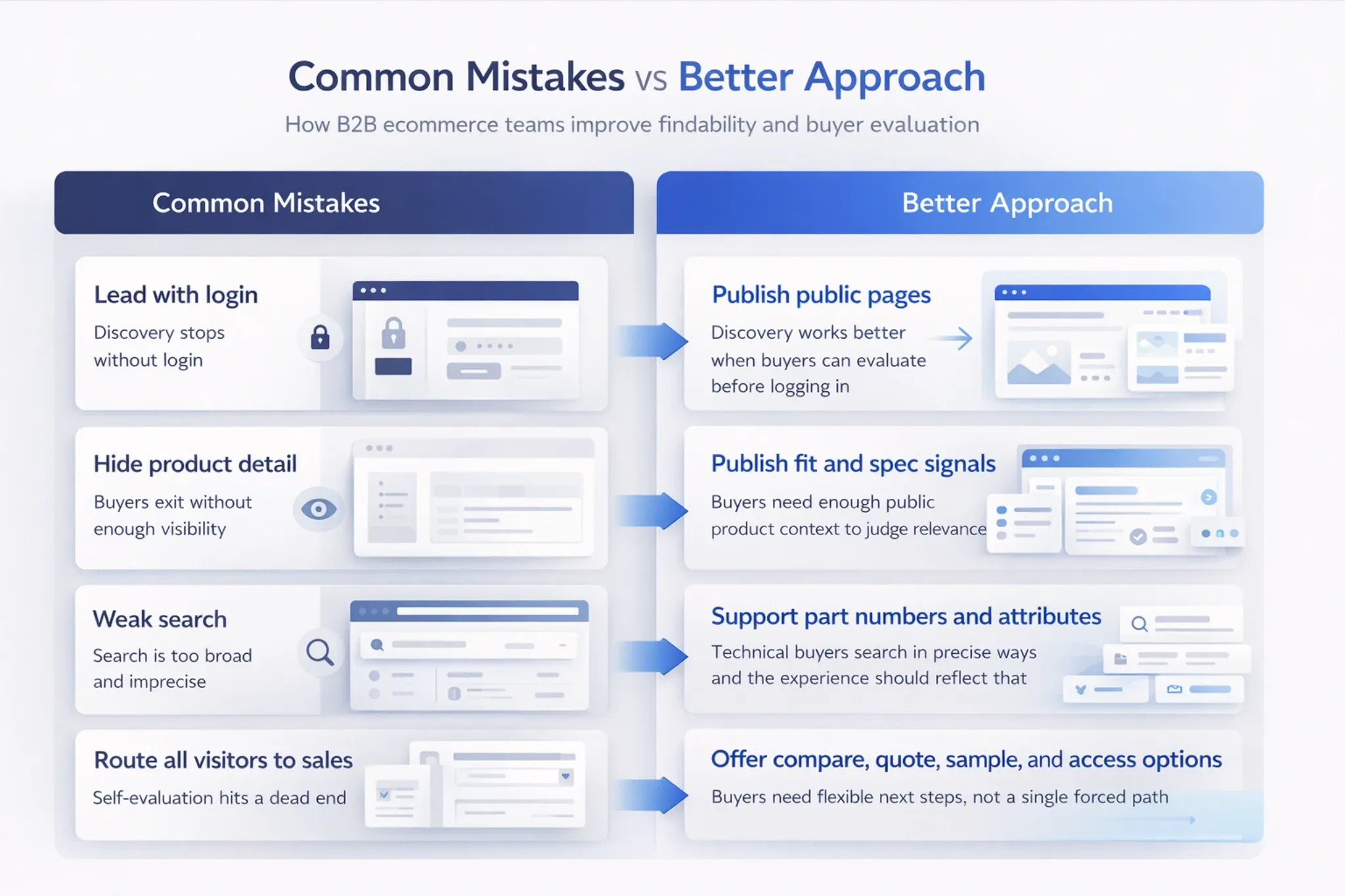
Anonymous and authenticated buyers do not always need the same results. A public storefront should support category exploration, applications, specifications, and general product evaluation.
After sign-in, account-aware B2B eCommerce search can add:
- Customer-specific catalogs and part numbers
- Contract-product eligibility and approved brands
- Branch or warehouse inventory
- Purchase history and saved lists
- Preferred substitutes and reorder patterns
- Role permissions and pricing access
Preserve the query, selected filters, product comparison, quantity, and intended action when the buyer signs in. Do not make the buyer repeat the search after authentication.
We connect commerce, PIM, ERP, inventory, customer, and pricing services through reliable system integration so search can use consistent public and account-specific context.
Use AI to Improve Discovery Without Hiding Weak Data
AI can help search interpret longer, less structured, and more conversational requests. A buyer may describe the equipment, environment, standard, symptom, or result instead of naming the product.
AI-assisted B2B eCommerce search can support natural-language interpretation, semantic matching, query rewriting, attribute extraction, unit normalization, conversational refinement, comparison, and substitute explanations.
For example, a maintenance buyer might ask, “Which food-grade hose works with high-temperature washdown and our existing coupling?” The system can identify the application, material requirement, temperature condition, and compatibility need, then present suitable products with clear reasons.
AI cannot safely invent missing product facts. It needs complete attributes, approved compatibility rules, structured documents, and clear business constraints. Our article on GenAI discovery examines those dependencies in more detail.
Recent 2026 B2B search trends also place AI, data quality, and implementation readiness at the center of current search investment.
Use a controlled starting point: Test AI against approved product data and measurable product-finding tasks before you expand it across the catalog.
Measure Whether Buyers Find the Right Product
Search usage alone does not prove that the experience works. Buyers may rely on search because navigation fails, or they may avoid it because previous searches produced poor results.
Measure B2B eCommerce search across relevance, buyer behavior, commercial outcomes, and operational impact.
Usage
Measures: Search sessions, searches per session, top query types, device, and account segment
What it may reveal: How buyers use search and where demand concentrates
Quality
Measures: Zero results, reformulation, abandonment, result clicks, and time to first useful product
What it may reveal: Where queries, data, ranking, or filters fail
Commercial
Measures: Search-to-product, quote, cart, order, and reorder rates
What it may reveal: Whether search supports useful buying activity
Operational
Measures: Assisted orders, product-identification calls, delayed quotes, and manual corrections
What it may reveal: Whether better discovery reduces avoidable work
Segment results by anonymous versus authenticated users, customer group, product category, branch, device, and query type. A total average can hide severe problems in high-value categories.
Improve Search in a Repeatable Cycle
Treat B2B eCommerce search as an ongoing product discipline rather than a one-time launch task. Your catalog, buyer language, inventory rules, and account logic will keep changing.
Collect Real Buyer Language
Use site-search logs, service requests, sales conversations, quote descriptions, order history, customer part numbers, and field terminology. Your catalog team may describe products differently from the people who buy and use them.
Classify the Failure
Label each weak query as a data, synonym, formatting, ranking, filter, compatibility, account, inventory, content, or platform issue. This step prevents you from treating every failure as a search-engine problem.
Fix High-Value Queries First
Prioritize frequent zero-result searches, exact identifiers that fail, strategic categories, repeat-order terms, high-value products, and queries that create support calls. A small number of targeted fixes may create more value than broad tuning.
Test With Real Users
Include procurement users, engineers, technicians, branch employees, service teams, and sales representatives. Ask them to complete realistic product-finding tasks and observe the queries, filters, and evidence they use.
Tune and Measure
Review search logs on a regular schedule and assign data, relevance, UX, content, and integration issues to named owners. Compare search quality and buying outcomes before and after each change.
Our storefront launch article shows why teams should test product data, pricing, inventory, account logic, integrations, and ownership before go-live.
Match the Fix to the Actual Problem
Do not default to a search-platform or commerce-platform replacement. Identify the constraint first, then choose the smallest change that can improve the buyer’s task.
| Main Problem | Best Starting Point |
|---|---|
| Missing attributes or product relationships | Improve product information and governance |
| Unrecognized terminology or formats | Add normalization, synonyms, and query rules |
| Correct products rank poorly | Tune relevance and merchandising weights |
| Buyers cannot narrow large result sets | Improve attributes, filters, and result UX |
| Logged-in results ignore account rules | Fix customer, pricing, inventory, and entitlement integrations |
| The engine lacks required capabilities | Evaluate a focused search-platform change |
| The commerce architecture blocks reliable integration | Evaluate targeted modernization |
How We Help You Improve B2B Search
We treat search as a connected product-data, UX, integration, and measurement problem. We do not begin by replacing the search box.
We analyze buyer queries, identify catalog gaps, improve taxonomy, map compatibility and replacement relationships, tune ranking rules, and create filters that reflect real buying decisions. We also connect the systems that provide product, inventory, customer, pricing, and order context.
When AI can improve the experience, we define controlled uses for semantic matching, conversational refinement, product comparison, and guided selection. We ground those experiences in approved data and business rules.
Our implementation services carry the work through design, integration, testing, deployment, measurement, and ongoing tuning.
Our approach: We identify whether buyers struggle because of product data, query interpretation, relevance, filters, account logic, or integration. Then we implement the smallest set of changes that can improve product findability and reduce avoidable assisted work.
Strong B2B eCommerce search helps buyers reach the right product faster and gives your teams clearer evidence about what to improve next.