
B2B Ecommerce Replatforming
Industrial manufacturers do not usually replatform because the website looks dated. They replatform because the current system can no longer support the way customers buy, how sales teams work, or how operations fulfills orders.
That is what makes B2B ecommerce replatforming for industrial manufacturers different. A new storefront is only one part of the project. The harder work sits behind the scenes: ERP data, pricing rules, product records, inventory logic, customer permissions, dealer workflows, and order exceptions.
This matters because B2B buyers increasingly expect digital self-service to work. Gartner reported in 2025 that 61% of B2B buyers prefer a rep-free buying experience, which means manufacturers cannot treat ecommerce as a lightweight ordering portal anymore.
For industrial manufacturers, the real goal is simple: customers should be able to find the right product, see the right price, trust the inventory, place the order, and move through approvals without forcing sales, service, or operations to fix the transaction manually.
We build B2B ecommerce solutions for manufacturers that need account-based pricing, bulk ordering, approval workflows, ERP integration, and customer self-service to work together. Reveation’s B2B ecommerce work is built around larger orders, net terms, ERP-connected workflows, and the complexity that separates B2B from simple B2C commerce.
Why Replatforming Is Harder for Industrial Manufacturers
In a simple ecommerce migration, the main concern may be moving products, customers, orders, URLs, and content to a new platform. For an industrial manufacturer, that is only the surface.
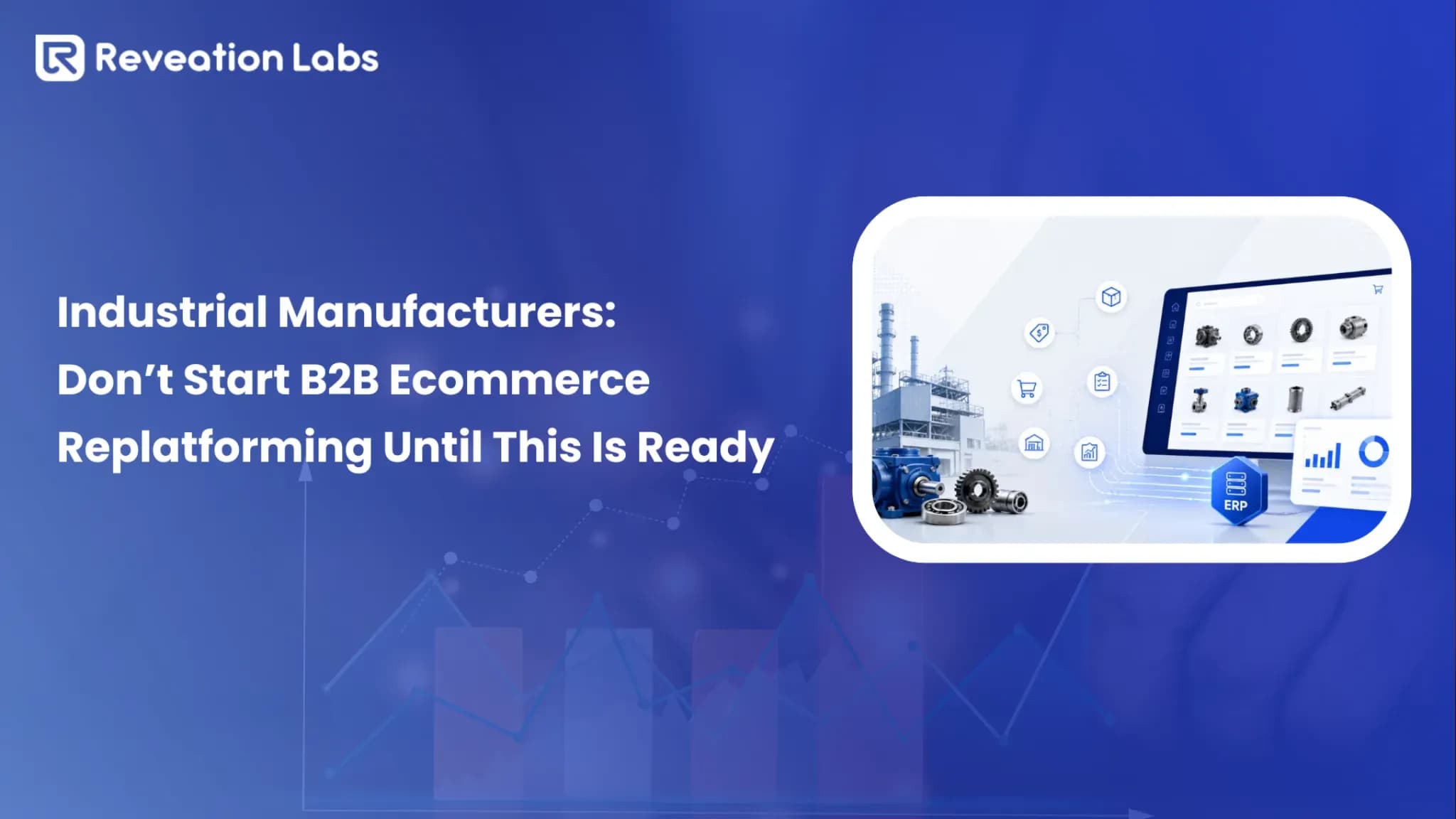
The ecommerce platform usually depends on several systems. ERP may own pricing, inventory, invoices, tax logic, credit limits, and order status. PIM may own product attributes, images, documents, and specifications. CRM may own account relationships. A WMS or fulfillment system may control shipping availability.
What customers see
The ecommerce site is the buying experience, search experience, pricing experience, and order experience.
What teams manage
ERP, PIM, CRM, WMS, fulfillment, pricing rules, approval rules, and account permissions.
That means the ecommerce site is not just a digital sales channel. It becomes the place where customers interact with the manufacturer’s operating model.
A buyer may expect contract pricing, replacement part search, saved carts, quote history, reorder tools, invoices, shipping updates, documentation, and approval workflows. If one piece is wrong, the customer does not blame ERP, PIM, or middleware. They blame the buying experience.
Before any platform decision, we recommend mapping ERP ecommerce alignment. The issue is not just connecting ERP to commerce. It is deciding what each system owns, how data moves, and what happens when pricing, inventory, or order data breaks the happy path.
When the Current Platform Is Holding You Back
A legacy B2B ecommerce platform does not always fail loudly. More often, it fails through workarounds that everyone has learned to tolerate.
Sales reps correct online prices after orders are submitted. Customer service checks inventory manually before confirming large purchases. Dealers email spreadsheets because the portal cannot handle their ordering process. IT avoids improvements because every change requires custom development.
Those are not just website problems. They are signs that the platform no longer supports the business.
Customers do not trust online pricing.
Buyers cannot search by part number, old SKU, equipment model, or technical attribute.
Inventory looks available online but cannot actually be fulfilled.
Dealers, distributors, and direct buyers need different rules, but the platform treats them the same.
Approval workflows happen through email instead of the portal.
Sales teams still handle repeat orders that should be self-service.
Product data exists, but customers cannot use it to make a confident buying decision.
New markets, warehouses, product lines, or customer types require heavy custom work.
The key question is not “Does the site look old?” The better question is: Can this platform still support how we sell, fulfill, and serve customers?
The Biggest Risks in B2B Ecommerce Replatforming
The biggest risks rarely show up in homepage mockups. They show up when a real customer logs in, searches for a critical part, sees the wrong price, submits a quote, or places an order that ERP rejects.
A replatform can look successful on launch day and still fail operationally within the first month.
Risk 1: ERP integration is treated like a technical task
ERP integration is not just a connector. For industrial manufacturers, ERP often controls the rules that make the transaction valid.
Pricing, inventory, customer terms, credit limits, invoices, shipping rules, taxes, order holds, and backorders may all depend on ERP data. If ecommerce and ERP do not agree, the customer sees one reality while operations works from another.
That creates manual corrections, delayed orders, customer service tickets, and sales team distrust.
A better approach is to define system ownership before development starts. Decide which system owns products, customers, pricing, inventory, orders, invoices, and fulfillment status. Then decide how often each data type should sync and what happens when something fails.
We also help teams think through system integration so ecommerce, ERP, CRM, PIM, and other systems work as one operating layer instead of separate tools.
Risk 2: Customer-specific pricing is not tested hard enough
Industrial pricing is rarely simple. A buyer may have contract pricing, regional pricing, tiered pricing, negotiated discounts, volume breaks, quote-only products, dealer terms, or product-line exceptions.
A pricing mistake is not a small UX issue. It can damage margin, create customer disputes, and cause buyers to lose trust in the portal.
Testing one standard account is not enough. A manufacturer should test pricing for a national account, regional distributor, contract buyer, dealer, volume discount customer, tax-exempt customer, and quote-only customer.
If those cases do not return the right price, the platform is not ready.
Practical warning: If buyers do not trust pricing on day one, they will go back to email, phone, and sales reps. That turns the new platform into a more expensive version of the old process.
Risk 3: Product data moves, but product clarity does not
A migration can move every SKU and still leave customers unable to find what they need.
Industrial catalogs often include technical attributes, replacement parts, compatibility rules, diagrams, drawings, safety documents, units of measure, certifications, and cross-reference numbers. Internal teams may describe a part one way, while customers search by old SKU, machine model, measurement, symptom, or field terminology.
For example, a pump manufacturer may have several versions of the same replacement part across legacy SKUs, distributor naming conventions, internal product codes, and customer-facing descriptions. If those relationships are not cleaned before migration, the new platform may technically work while customers still call support to find basic parts.
This is where product data becomes a revenue issue, not just a content issue.
Risk 4: Dealer and distributor workflows are oversimplified
Industrial manufacturers often sell through layered channels. Direct buyers, distributors, dealers, service teams, internal reps, and procurement users may all need different access.
A dealer may need a limited catalog. A distributor may need regional pricing. A corporate buyer may need location-level permissions. A purchasing manager may need approval controls. A service team may need fast access to replacement parts and documentation.
If the new platform treats every account like a standard buyer, it creates friction immediately.
Risk 5: Teams test checkout instead of the full operation
A successful test is not just “Can someone place an order?”
A better test is: can the right user find the right item, see the right price, confirm realistic inventory, route through the right approval process, submit the order, and have that order land correctly in ERP?
That full journey is where many industrial replatforming issues appear.
| Common Mistake | Why It Hurts | Better Decision |
|---|---|---|
| Choosing the platform before mapping workflows | Requirements get shaped by demos instead of business reality | Map buyer, dealer, pricing, catalog, and ERP workflows first |
| Treating ERP as a simple integration | Business rules are missed until testing or launch | Define source-of-truth ownership, sync timing, exceptions, and failure handling |
| Migrating messy catalog data | Customers still cannot find or compare products | Clean taxonomy, attributes, documents, images, and product relationships before migration |
| Testing only standard orders | Edge cases break after launch | Test contract pricing, approvals, substitutions, credit holds, backorders, and dealer permissions |
| Leaving sales and service out | Internal teams do not trust the new channel | Involve frontline teams in workflow validation and launch readiness |
What Replatforming Really Costs
The platform fee is only one part of the investment. For industrial manufacturers, the bigger cost often comes from integration, data cleanup, workflow design, testing, training, and post-launch optimization.
A cheaper platform can become expensive if it requires heavy customization for ERP workflows, customer-specific pricing, dealer rules, or complex catalogs. A more flexible platform can cost more upfront but reduce long-term workarounds.
The most important budgeting question is not “What does the platform cost?” It is “What will it cost to make this work for our actual business?”
| Cost Area | What It Usually Includes | Where Teams Underestimate Effort |
|---|---|---|
| Platform | License, subscription, hosting, modules, environments | Comparing fees without comparing workflow fit |
| Implementation | Configuration, UX, frontend, backend, QA, deployment | Assuming B2B setup works like simple ecommerce setup |
| Integration | ERP, PIM, CRM, WMS, tax, payments, shipping, EDI, PunchOut | Underestimating data ownership, sync timing, and exceptions |
| Data migration | Products, customers, pricing, documents, images, orders, redirects | Discovering poor data quality too late |
| Change management | Training, internal enablement, customer communication | Assuming teams and customers will adopt the platform automatically |
| Optimization | Analytics, search tuning, fixes, conversion improvements | Treating launch as the finish line |
The hidden cost is rework.
If pricing rules are unclear, the team pays later. If product data is incomplete, the team pays later. If ERP ownership is not defined, the team pays later. If sales teams do not trust the platform, the business pays through low adoption.
A realistic budget should include discovery, integration planning, data cleanup, test cycles, training, and post-launch improvements. Cutting those areas often creates the exact problems the replatform was supposed to solve.
What to Plan Before Choosing a Platform
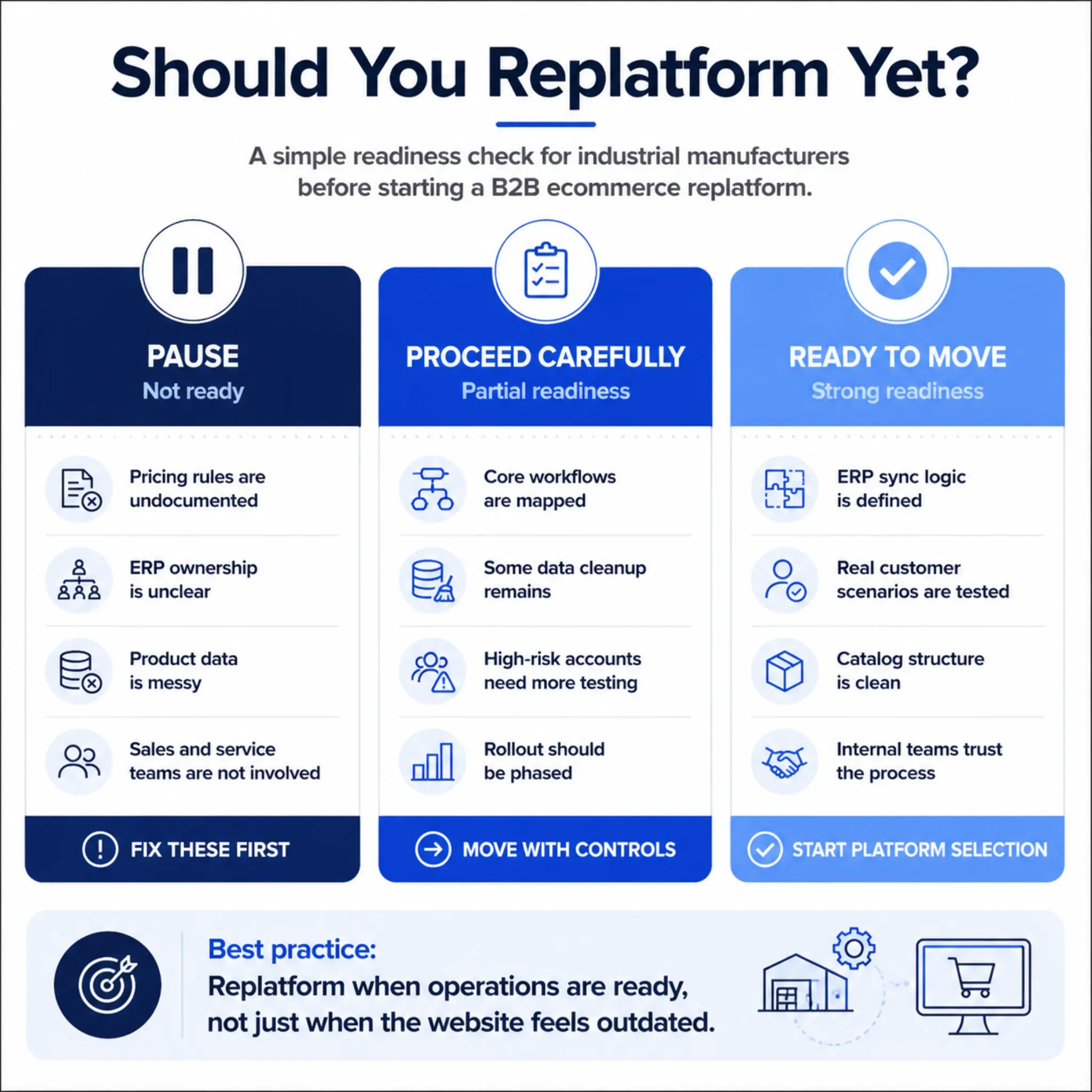
Manufacturers should not start with “Which ecommerce platform should we buy?” They should start with “What must customers and internal teams be able to do without manual help?”
That shift changes the whole project.
Start with the workflows that create the most business value or the most operational pain. For many manufacturers, that includes repeat ordering, replacement part search, quote requests, contract pricing, dealer ordering, invoice access, order status, and approval flows.
Then map the systems behind those workflows. Which data comes from ERP? Which product content comes from PIM? Which account details come from CRM? Which fulfillment rules depend on warehouse systems? Which exceptions still require human review?
This is also where platform selection becomes more grounded. Our platform comparison helps teams evaluate B2B ecommerce platforms by industry needs, including ERP workflows, account pricing, dealer workflows, and product complexity.
Before selection, answer these questions:
- Who owns product, pricing, customer, inventory, order, and invoice data?
- Which workflows must work at launch?
- Which workflows can wait?
- What product and customer data needs cleanup?
- Which integrations need real-time sync, batch sync, or event-based updates?
- What happens if ERP is unavailable?
- Which customers, dealers, and internal users should test the system?
- How will sales and service teams explain the change to customers?
A phased rollout is often safer than a big-bang launch. Manufacturers can start with a specific product line, region, customer group, or dealer segment before expanding.
Platform Criteria That Actually Matter
Industrial manufacturers need more than a nice storefront and standard checkout. They need a platform that can support complex business rules without turning every requirement into custom code.
For some teams, modular or composable commerce is the right fit. For others, a more packaged B2B platform may be enough. The decision depends on business complexity, integration needs, internal team maturity, and long-term growth plans.
We use Virto Commerce architecture for complex B2B scenarios where businesses need flexibility across customers, products, inventory, pricing, and back-office systems. Modular architecture matters when manufacturers need to support workflows that do not fit a generic ecommerce model.
Use this matrix to keep platform discussions focused on business fit.
| Requirement | Why It Matters | What to Look For |
|---|---|---|
| ERP flexibility | Pricing, inventory, orders, invoices, and credit rules often depend on ERP | Strong APIs, middleware readiness, sync controls, and clear error handling |
| Account-specific pricing | Buyers expect negotiated terms online | Contract pricing, customer groups, volume pricing, quote support |
| Complex catalog support | Customers need to find the right product quickly | Strong taxonomy, attributes, search, filters, documents, substitutions |
| Role-based permissions | Buyers, approvers, dealers, reps, and admins need different access | Account hierarchy, approval flows, user roles, delegated administration |
| Dealer and distributor support | Channel partners need controlled access | Segmented catalogs, regional rules, account visibility, order controls |
| Scalability | Growth may add markets, catalogs, warehouses, and workflows | Modular architecture, performance, localization, extensibility |
| Admin usability | Business teams should not need developers for every small change | Configurable rules, reporting, content tools, product workflows |
The better question is not “Does the platform have this feature?” The better question is “Can this platform support our version of the workflow without fragile customization?”
What to Fix Before Migration
A replatform is a bad time to move old problems into a new system.
Before migration, manufacturers should clean up the issues that would otherwise follow them: unclear product taxonomy, duplicate customer records, inconsistent units of measure, outdated documents, brittle pricing rules, manual quote exceptions, weak search behavior, and undocumented approval flows.
A new platform will not automatically solve those problems. In many cases, it makes them more visible.
| Area to Fix | Questions to Ask |
|---|---|
| Product data | Are attributes, images, documents, categories, and replacement relationships accurate? |
| Pricing logic | Are contract terms, volume rules, discounts, and exceptions documented? |
| Customer accounts | Are buyers, approvers, dealers, branches, and permissions cleanly structured? |
| Inventory rules | What should customers see when stock is unavailable, reserved, delayed, or split across warehouses? |
| Orders and quotes | Which orders can be self-service, and which require human review? |
| Search | Can customers find products by SKU, old part number, description, equipment model, or application? |
| Internal process | Do sales, service, IT, and operations agree on the future workflow? |
Practical takeaway: The best replatforming projects do not start with software configuration. They start by removing ambiguity from pricing, data, workflows, ownership, and exceptions.
A Practical Roadmap for Lower-Risk Replatforming
Once the business case is clear, the roadmap should reduce risk in stages.
First
Audit the current process. Identify what works, what breaks, what teams manually correct, and what customers complain about most often.
Second
Define future workflows. Document what customers, dealers, sales reps, service teams, and operations teams need to complete.
Third
Design the architecture. Decide which systems own which data, how sync should work, and how errors should be handled.
Fourth
Clean and prepare data. Review product records, customer accounts, pricing rules, documents, redirects, and order history.
Fifth
Test with real scenarios. Include contract pricing, approvals, backorders, credit holds, dealer permissions, replacement parts, large repeat orders, and ERP exceptions.
Sixth
Launch with support. Train internal teams, communicate clearly with customers, monitor adoption, and fix friction quickly.
We support this kind of work through implementation services, especially when ecommerce needs to connect with ERP, product data, fulfillment, and customer workflows. For a real-world example, the De Havilland success story shows how complex catalog, inventory, approval, and aftermarket ordering needs shaped a B2B commerce solution.
Final Takeaway
B2B ecommerce replatforming for industrial manufacturers is not just a website project. It is an operational project with a digital interface.
The site matters, but the deeper success factors are ERP alignment, clean product data, trusted pricing, usable account workflows, reliable inventory, strong testing, and internal adoption.
When those pieces are planned early, replatforming can reduce manual work, improve customer self-service, and create a more scalable commerce foundation. When they are ignored, the new platform can recreate the same old problems with a newer interface.
Reveation can help manufacturers evaluate the current state, map operational dependencies, and plan a replatform around the workflows that matter most. When the goal is to reduce risk before selecting or migrating platforms, work with an implementation partner that understands complex B2B operations.