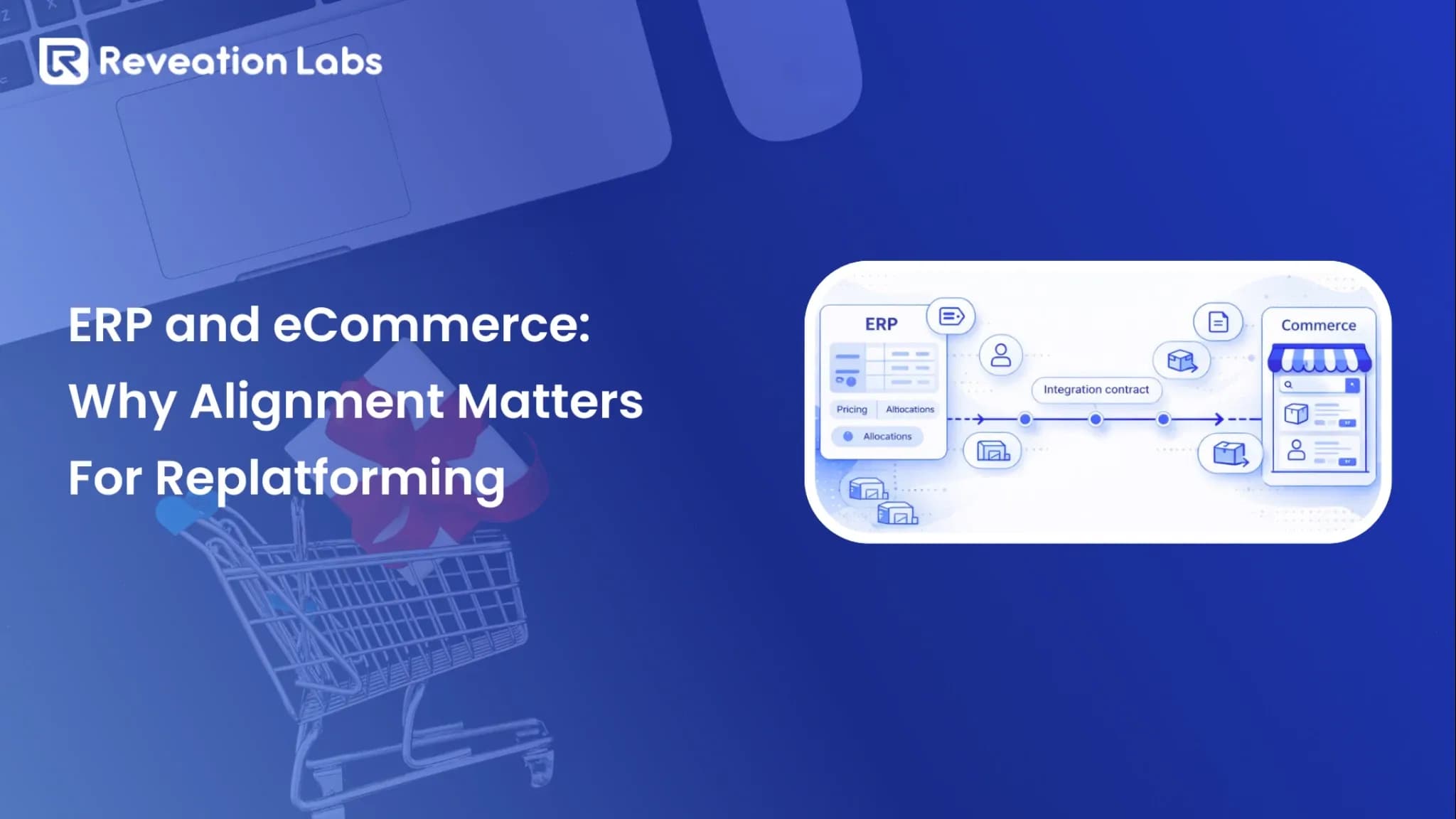

eCommerce replatforming promises a better storefront. For mid-market distributors and manufacturers with contract pricing, multi-warehouse inventory, and a legacy ERP, the real risk is not the theme. It is the gap between ERP and commerce.
ERP eCommerce alignment is the work of making the new storefront show what ERP already knows: contract price, available stock, credit, and whether an order is allowed. Skip it, jump into feature lists, and you usually rebuild ERP rules in the storefront, launch with gaps, and spend the first weeks fixing operations instead of serving accounts.
If you are planning to replatform B2B commerce, get the ERP-to-storefront handoff straight before you pick a homepage. The B2B eCommerce migration checklist walks through the kind of move you are making. Before anyone builds, you still need a clear answer: who is allowed to change price, inventory, credit, and whether an order can go through.
In 30 seconds
- Replatforming does not fix a messy ERP-commerce split.
- Keep ERP as the source of price, credit, inventory, and order rules.
- Write the integration contract before anyone builds.
- Test real B2B orders and edge cases, not only a clean cart.
- After launch, someone has to own changes so the same logic does not live in two systems.
Why ERP eCommerce alignment matters in B2B replatforming
Most replatform projects start with platform comparisons, UX, and a feature checklist. Many B2B performance issues are symptoms of ERP commerce complexity: contract pricing, allocation, credit holds, and order validation. A new platform will not automatically fix those constraints; it can amplify them by raising traffic, automation, and data volume.
A distributor launches a new storefront. Pricing looks correct in staging, then after go-live customers see list price instead of contract price. Sales spends weeks correcting invoices while support takes “where did my pricing go?” calls, because mapping and ownership were the root cause, not the platform.
What goes wrong without ERP alignment
- Contract pricing defaults to list, or the wrong price list.
- Inventory oversells because availability or allocation is stale.
- Orders pass checkout, then ERP rejects them for missing fields.
- Duplicate logic for price or availability becomes permanent debt.
- Sales loses trust and moves buyers back to email and phone.
The point of aligning ERP with commerce is accurate price, inventory, and order flow before you replatform. Without that, a new platform can still fail operationally.
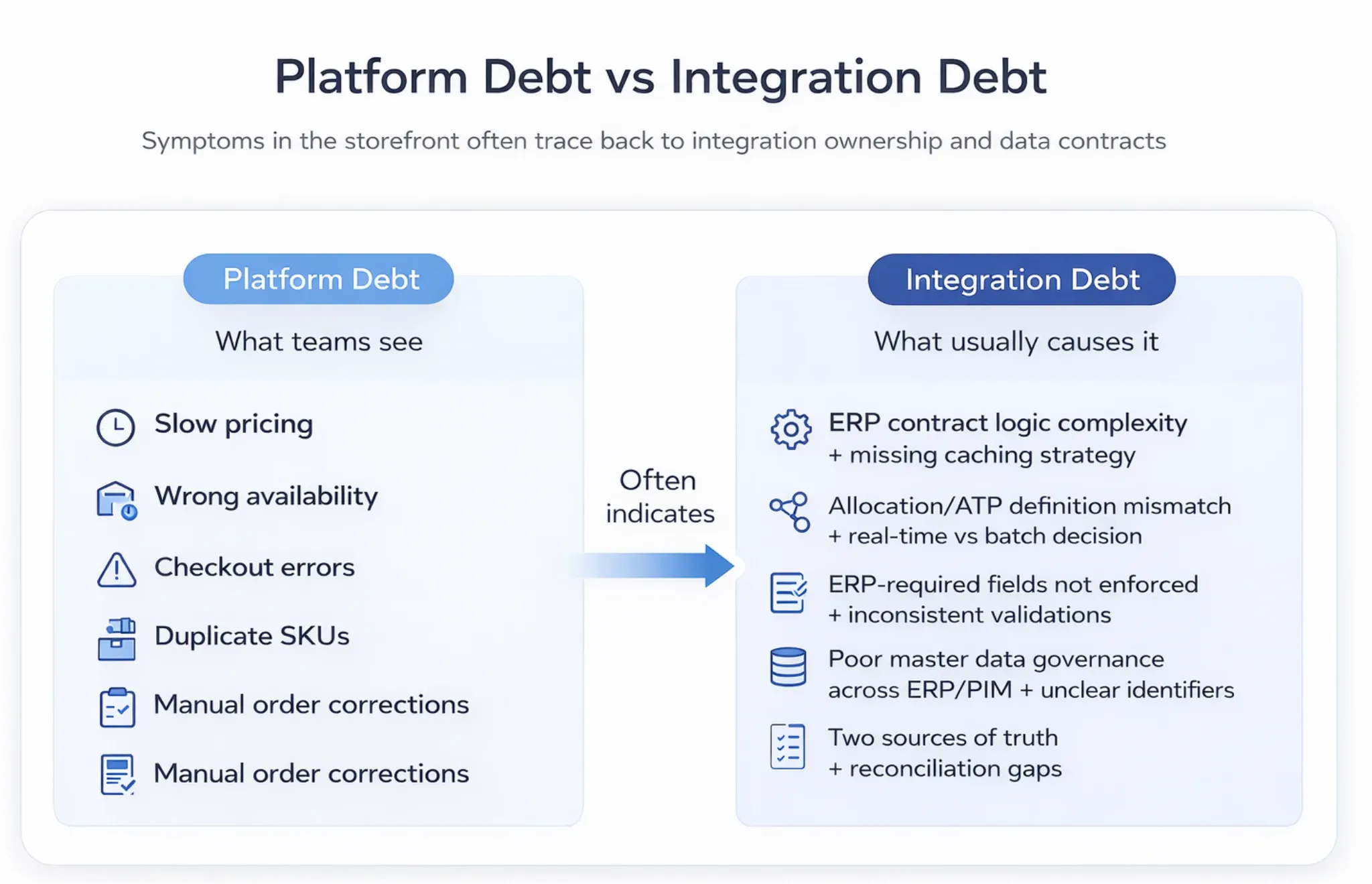
Platform debt vs integration debt
Many B2B teams think they have platform debt. They often have integration debt: unclear system-of-record ownership, inconsistent data models, and workflows that do not match how ERP expects orders to arrive. If you diagnose the wrong problem, replatforming relocates it.
What ERP eCommerce alignment actually means
ERP eCommerce alignment means deciding, before development starts, where price, stock, credit, and orders live, how they move, and what happens when something fails. It is not “connect ERP to commerce.”
In most B2B environments, customer hierarchies, contract pricing, credit limits, inventory allocations, and financial posting already live in ERP. The storefront should show that, not invent a second version. When the site becomes a shadow ERP, you get drift, invoice fights, and manual cleanup.
Where the storefront stops
The storefront is for how people buy: navigation, search, merchandising, and how the cart behaves in a session. Contract pricing, credit rules, allocation, and whether an order is even allowed still belong in ERP. Putting those rules in the site is how “just fix it in the storefront” debt starts, so write the split down before you argue about it mid-build.
What ERP handles vs what the storefront handles
- Pricing: Contract rules stay in ERP. The storefront can cache results for speed if you agree how often they refresh.
- Inventory: Availability (ATP, allocations, lead times) stays in ERP or WMS. The storefront shows it with the delay you agreed.
- Customer eligibility: Credit holds and ship-to rules stay in ERP or CRM. The storefront blocks checkout when those rules say no.
- Orders: The storefront captures the order. ERP checks it and becomes the record operations actually run on.
If a number changes an invoice, a shipment, or how you recognize revenue, it should live in one place. That is usually ERP, or a system next to it built for that fact.
Risks of replatforming without ERP alignment
Most replatform projects underestimate how much ERP work is hiding under the storefront. Teams plan pages, search, and promotions, then discover late that customer pricing, unit conversions, shipping terms, and order checks need real ERP decisions. Shortcuts then harden into permanent complexity.
Risk 1: Data gaps that show up only after go-live
B2B catalogs are rarely one SKU, one price. They include customer-specific assortments, UOM conversions, pack sizes, tiered pricing, and regional restrictions. If those are not modeled and mapped early, they become launch blockers, often only when buyers place real orders at volume.
Risk 2: Duplicate logic that becomes impossible to maintain
Duplicate logic starts as “we will calculate pricing in commerce for speed.” Then availability rules move too. Every business change now needs two systems, and reconciliation becomes a standing job. That is often why “the site works” while operations do not trust it.
Risk 3: Go-live operational breakdown
In B2B, launch stability matters more than launch polish. Buyers may accept a simpler UI; they will not accept wrong price or unreliable fulfillment signals. When orders do not match ERP expectations, you get manual corrections, escalations, and rapid distrust of the channel.
A manufacturer launches a clean checkout. In week one, orders fail in ERP because mandatory fields were never captured: ship-to codes, tax exemptions, PO format, freight terms. The storefront was not “broken”; it was not aligned with ERP order requirements.
Integration multiplies bad data
Integration does not create quality; it multiplies whatever you already have. If customer records are inconsistent, attributes are incomplete, or price lists are ungoverned, a new platform will surface those issues faster and at higher volume. Alignment includes data governance and validation, not only endpoints.
Define interfaces before features
Most builds begin with theme selection and feature parity. A replatform that holds up starts with where ERP data actually lives, what each object means, and what a valid order looks like. You build on that instead of discovering it halfway through.
Before development, name the objects (customer, SKU, price, inventory, order), what triggers a sync, who writes each field, how fresh the data must be, and what happens when ERP is down. If you are on Virto, Virto Commerce integration with existing systems walks through the same interface work in that stack.
Start with an integration contract, not a connector
Treat the ERP integration like a contract that engineers and operators can rely on. When the contract is clear, teams build with fewer surprises. When it is unclear, every sprint becomes a negotiation about what should happen and where it should live.
Integration contract mini-template
- Objects: customer, ship-to, SKU, price, inventory, order, shipment, invoice
- Events: price updated, inventory changed, order placed, order acknowledged, shipped, invoiced
- Ownership: which system writes each field, and under what conditions
- Freshness: how new a price or availability signal must be
- Failure modes: retries, idempotency, queues, reconciliation
- Downtime behavior: browse-only, quote request, or call-for-availability
Real-time vs batch synchronization
Not everything needs to be real-time. Pricing and availability often do when they change often or drive the purchase. Product enrichment, many CMS updates, and some profile changes can sit on a batch schedule if the expectation is explicit.
If you run more than one warehouse, you need a plan for how fresh availability is and which location fills the order. Real-time multi-warehouse inventory goes deeper on that.
A distributor syncs inventory every 60 minutes to protect ERP performance. At launch, buyers order from stale availability while ERP allocates stock to other channels. The storefront was not “wrong” as a clock; it was misaligned on what “available” meant and how fresh that signal had to be.
Resilience you should require
ERP systems are not always built for high-frequency storefront reads. Integration-first design includes patterns that protect buyer experience and ERP stability. The goal is not perfection; it is predictable behavior when something fails.
- Read caching for pricing and inventory with defined TTLs and refresh triggers
- Asynchronous queues for order submission and status so spikes do not break ERP
- Idempotency and retries so duplicate events do not create duplicate orders
- Circuit breakers so one slow system does not cascade
- Graceful degradation when ERP is slow or down
Practical steps before you build
If you are preparing to replatform B2B commerce, do this work before sprint planning. It is what stops you from discovering the real integration halfway through the build, when every change is expensive.
Step 1: Run an ERP-centered discovery sprint
A useful discovery phase is not a generic requirements workshop. It answers how ERP works today and what it needs from commerce. It also identifies who inside the company can make a binding call on pricing, inventory, customer terms, and order checks.
- What does ERP store today, and what does it not store?
- How are contract prices defined, overridden, and validated?
- What determines availability: ATP, allocations, lead times, substitutions?
- Which order fields are mandatory, and what rejects orders downstream?
- Where do exceptions live: returns, partial shipments, backorders?
Lock those answers in a focused Discovery Sprint before you fund the build.
Step 2: Host a data model and mapping workshop
Bring the people who own those decisions together and map the core objects end to end. Agree what each field means, who writes it, and how units, rounding, and tiering convert. Do not try to map everything first; map what can break checkout and fulfillment, then expand.
A good discovery phase produces:
- A system-of-record map (field-level ownership for customer, product, price, inventory, order)
- An integration contract draft (objects, events, freshness, downtime behavior)
- A prioritized edge-case library (credit holds, substitutions, backorders, UOM conversions)
- Golden orders for testing (a small set of representative orders validated end to end)
Step 3: Decide API and integration architecture
Should ERP talk to eCommerce directly? Sometimes, if the ERP has modern APIs and you can protect it from read spikes; often middleware or a hybrid is safer for orchestration, monitoring, and resilience. Architecture should reflect ERP capability, latency tolerance, and peak-order reality.
If you are choosing between a direct ERP connection and middleware, that is an architecture call, not a connector SKU.
Step 4: Build a testing plan
ERP-commerce projects fail when teams test happy paths only. You need tests that match real buyer behavior and real operational constraints: golden orders, an edge-case library, reconciliation checks, and performance tests that protect ERP.
- Golden orders: a small set you validate end to end, repeatedly
- Edge cases: credit holds, partial shipments, substitutions, UOM conversions, backorders
- Reconciliation: totals, tax, shipping, and status updates match
- Performance: storefront reads under load, cache behavior, ERP response stability
A distributor sells in units while ERP inventories in cases. Conversion rules were not validated across edge cases, so orders entered ERP with quantities that could not be fulfilled. The fix was not a checkout redesign; it was agreeing on the UOM truth model and enforcing it across systems.
Step 5: Plan cutover and post-launch governance
Cutover is not only switching DNS; it is data readiness, freeze windows, rollback, and monitoring. Governance matters as much: pricing rules change, warehouses get added, segments evolve. Without a light change path, quick fixes create divergence.
- Define freeze windows and the sequence for migrating customers, catalogs, and pricing
- Agree rollback criteria and post-launch triage ownership
- Establish who approves changes to pricing rules, availability definitions, and ERP APIs
Pre-build ERP alignment checklist
Use this before development begins.
| Area | Question | Desired outcome |
|---|---|---|
| Ownership | Who owns each core object and field? | No dual control or conflicting truth |
| Pricing | How are contracts calculated and validated? | No mystery totals or invoice corrections |
| Inventory | What does “available” mean (ATP, allocations, lead time)? | Consistent signals across channels |
| Orders | What fields are mandatory for ERP acceptance? | High acceptance, fewer downstream rejects |
| Sync | What must be near real-time, and what can be batch? | Freshness that matches how you sell |
| Downtime | What happens if ERP is slow or unavailable? | Predictable buyer experience |
| Errors | How do retries, queues, and reconciliation work? | Less manual cleanup after launch |
| Governance | Who approves changes and watches integration health? | Stability after go-live |
Avoid a fragile replatform
Replatforming does not solve ERP misalignment. It makes it louder. The alignment decisions you make now decide whether launch is stable or messy, because they decide how price, stock, credit, and orders actually move from the site into ERP.
Before you pick a new platform, lock ownership, the integration contract, what must be real-time versus batch, and what happens when ERP is slow. That is how you cut risk without inventing a launch date you cannot keep.
If those answers are still fuzzy, finish that discovery work before you fund the build.
When you are ready to design the connection itself, see how we handle ERP integration for B2B commerce.
If the split is already agreed and you need the build, eCommerce implementation is the next step.
If the site feels untrusted and you are blaming the platform, read signs your B2B eCommerce platform is holding you back before you assume a new theme will fix it.
Ready to test your replatform readiness?
Book a scoped working session with Reveation Labs. We will help you clarify the gaps that matter before you commit the next build.