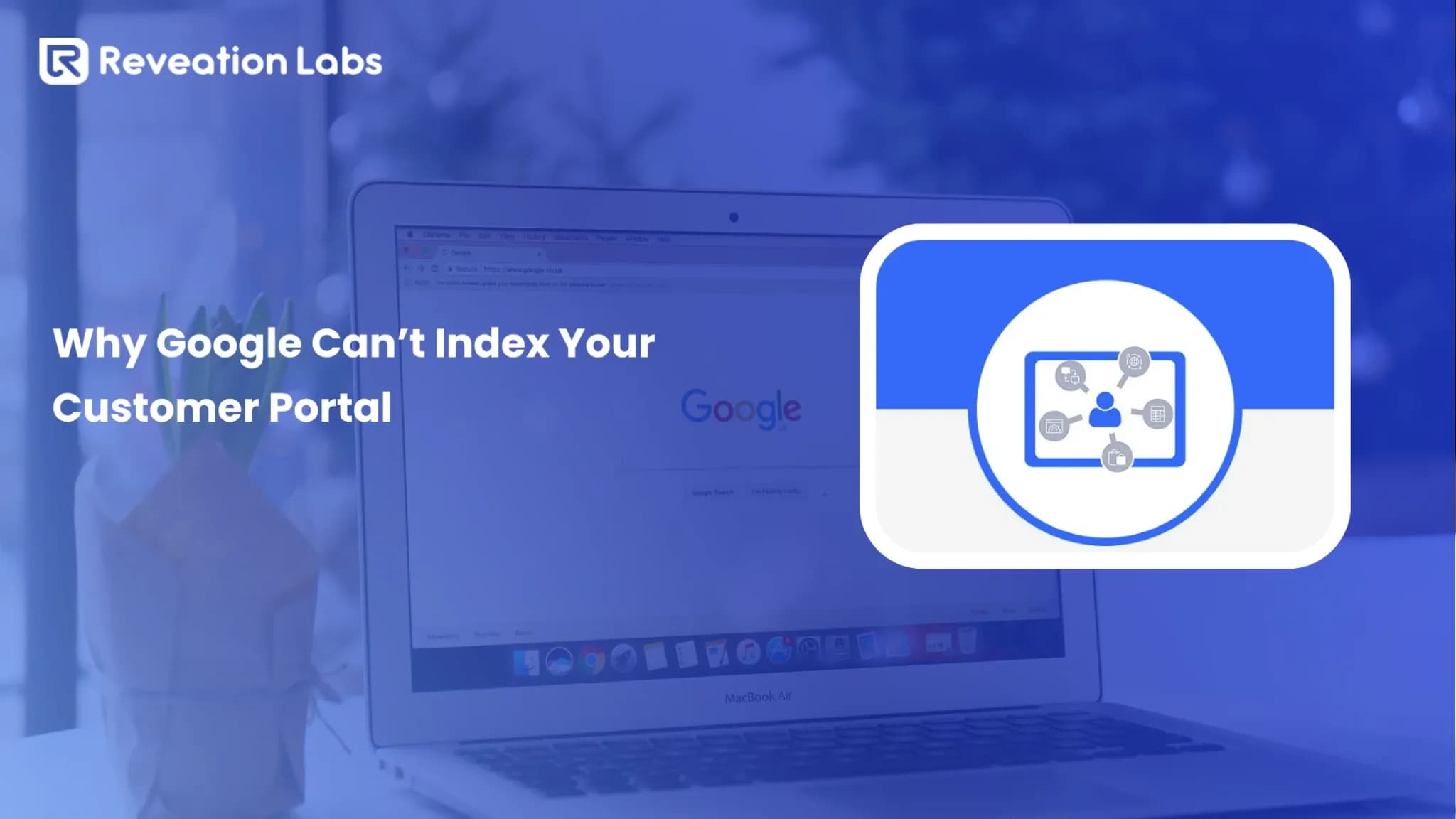

A customer portal gives customers a secure place to manage orders, invoices, documents, support requests, account details, and other self-service tasks. It should reduce effort for customers and remove repetitive work from sales, finance, operations, and service teams.
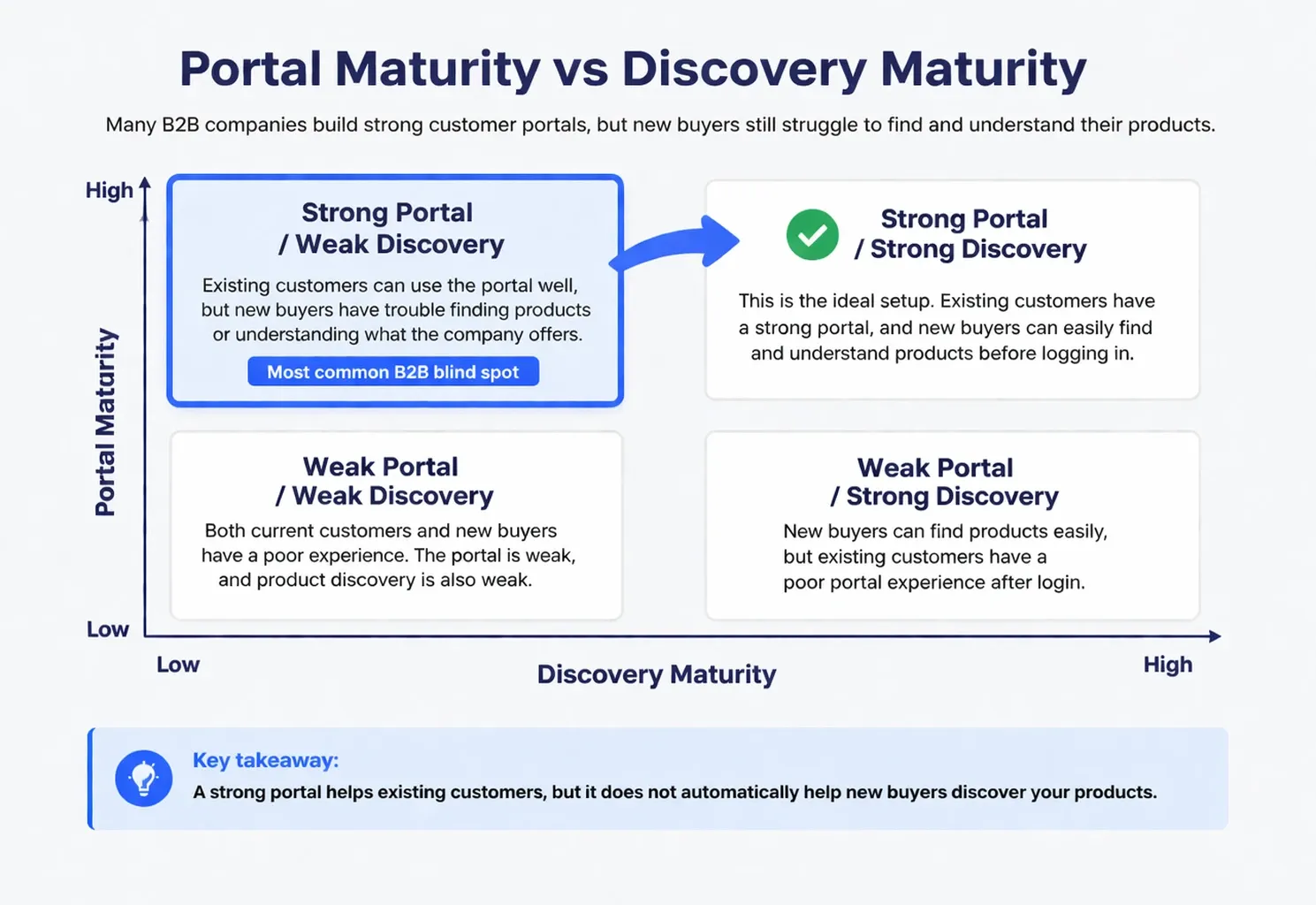
Many B2B companies build that private experience successfully, then place product specifications, category information, use cases, and other buying content behind the same login. That decision helps known accounts but makes the business harder for new buyers to find and evaluate.
Google Search must access a page before it can crawl and index the content. Login-protected information therefore cannot support public search visibility in the same way as accessible product pages. The same foundational SEO practices also support visibility in Google’s AI features; businesses do not need separate AI markup or special files.
The practical model: Publish information that helps buyers discover and evaluate products. Protect pricing, transactions, documents, and workflows that depend on a specific account.
What Is a Customer Portal?
A customer portal is an authenticated digital environment where customers complete account-specific work. The experience may support purchasing, service, finance, administration, or a combination of those functions.
A manufacturer may offer warranty records, replacement parts, technical documents, and dealer pricing. A distributor may focus on quick order, contract catalogs, invoices, returns, and shipment tracking. A service company may support appointments, subscriptions, support cases, and account documents.
Customers commonly use the portal to:
- Place and repeat orders
- View account pricing and product eligibility
- Request and review quotes
- Track orders and shipments
- Access invoices, statements, and documents
- Submit returns, warranty requests, or support cases
- Manage company users and permissions
The interface should support customer jobs. It should not copy employee screens, internal codes, or ERP structures into a customer-facing experience.
Start With Customer Problems, Not a Feature List
We start portal assessments by reviewing the reasons customers contact sales, finance, operations, and service. We then identify frequent tasks that follow clear rules and create unnecessary manual work.
This approach prevents teams from funding attractive features while customers still struggle with basic tasks.
| Customer Problem | Useful Capability | Customer Outcome | Business Measure |
|---|---|---|---|
| Buyers call for order updates | Order and shipment tracking | Customers get answers immediately | Status contacts per order |
| Finance users request invoice copies | Invoice and document access | Users retrieve documents independently | Invoice requests per account |
| Customers repeat the same orders | Saved lists and quick reorder | Buyers reorder faster | Digital reorder share |
| Buyers cannot confirm negotiated terms | Account pricing and catalogs | Customers see correct products and prices | Price-confirmation requests |
| Purchases require authorization | Roles and approval workflows | Buyers follow purchasing rules | Approval completion rate |
Reveation perspective: We prioritize workflows that already generate high call, email, and spreadsheet volume. That evidence gives teams a clearer release plan than a generic feature checklist.
What a Modern Portal Should Include
A modern customer portal needs five connected capability groups. Each group should help a customer complete a meaningful task and should use accurate information from the right source system.
1 Account Access and Administration
Procurement users, approvers, finance teams, service contacts, and account administrators need different information. Give each role a focused dashboard and the right authority.
- Secure login and multifactor authentication
- Company hierarchies and location access
- Role-based dashboards
- User invitations and permission management
- Account switching for multi-location users
2 Commerce and Reordering
B2B buyers often know exactly what they need. Help them complete routine purchasing quickly while the system applies account rules.
- Account-specific catalogs and contract pricing
- SKU entry, quick order, and bulk upload
- Saved lists and reorder templates
- Quotes, purchase orders, and credit terms
- Approval workflows
3 Orders, Finance, and Documents
Customers should find transaction information without contacting an employee. Clear status, invoice, and document access can remove a large volume of repetitive requests.
- Order history and shipment tracking
- Invoices, statements, and payment status
- Contracts, certificates, and account documents
- Returns and credit status
4 Service and Support
Connect support requests, warranty work, technical documents, and service history with the same account context. Give customers a clear escalation path when a task requires human judgment.
Our self-service options connect account management, order tracking, support, invoices, and documentation.
5 Connected Enterprise Data
Customers lose trust when the portal shows the wrong price, inventory level, invoice, or delivery date. We verify which system owns each data type before we design screens or workflows.
Most B2B environments connect ERP, CRM, PIM, OMS, CPQ, support, payment, and document systems. Our system integration work connects those systems around reliable customer tasks.
Security, Permissions, and Data Trust
Security should protect customers without turning routine work into a maze. Organize controls around identity, authorization, and governance so business leaders can connect each control to a clear risk.
Identity
Use secure authentication, single sign-on where appropriate, multifactor authentication, password controls, and sensible session rules. Give customers a clear recovery path when they lose access.
Authorization
Use roles, permissions, account separation, location access, and approval limits to control what each user can view and change. Test cross-account access carefully, especially when users manage several branches or legal entities.
Governance
Record important actions through audit logs, review access regularly, and define how employees can assist customers without bypassing controls. Monitor synchronization failures because inaccurate data can damage trust even when the interface works correctly.
We test legitimate tasks and unauthorized paths together. A secure experience must let the right customer complete the right action while blocking every other account from the same data.
Customer Portal vs. Storefront: Choose the Right Model
The authenticated experience supports known accounts and private operations. A storefront supports public discovery, product evaluation, merchandising, and acquisition. Many B2B companies need both.
| Business Need | Best Model | Why |
|---|---|---|
| Known customers need invoices, reorders, and support | Portal | The work depends on account identity and private data. |
| New buyers need searchable products and comparisons | Storefront | Public pages support discovery and evaluation. |
| Buyers research publicly and transact with account terms | Hybrid | The experience connects discovery with authenticated execution. |
| Dealers need products, tier pricing, approvals, and service | Portal or hybrid | The model depends on public acquisition needs. |
Our portal comparison examines account-first, product-first, and hybrid experiences in more detail.
A B2B Example
A distributor publishes a public page for a replacement part, including specifications, compatibility, and use cases. A buyer discovers the part, signs in to view contract pricing, adds it to a saved list, routes the order for approval, tracks delivery, and later reorders from the account dashboard.
That journey uses public content for discovery and private workflows for execution. The buyer keeps context throughout the process.
What Should Stay Private and What Should Stay Public?
Protect information that depends on a customer relationship, contract, role, or transaction. Publish information that helps buyers understand product fit, capability, and next steps.
| Keep Private | Make Public |
|---|---|
| Account pricing and contract terms | Product categories and family pages |
| Credit information and payment status | Public-safe specifications and features |
| Order history, quotes, and invoices | Use cases and industry applications |
| Approvals and user permissions | Comparison and compatibility content |
| Support cases and service records | Capability, compliance, and contact information |
Our article on storefront search explains how public pages support product discovery while authenticated pages support account execution.
Do not publish thin pages only to target search phrases. Give each page useful product details, applications, constraints, comparisons, or next steps.
Top Customer Portal Mistakes
The biggest portal failures rarely come from one missing feature. Poor priorities, disconnected data, weak usability, and limited adoption usually create the damage.
1 Hiding All Product Information Behind Login
New buyers cannot evaluate products they cannot access. Keep negotiated prices and entitlements private, but publish enough product information to establish fit.
2 Copying Internal Systems
ERP fields, status codes, and internal structures may make sense to employees. Translate that complexity into customer language and task-based navigation.
3 Funding Too Many Low-Value Features
A large feature list can hide weak core workflows. Prioritize customer frequency, employee effort, commercial impact, and data readiness.
4 Showing Inaccurate Data
Incorrect pricing, inventory, shipment dates, invoices, or order status can destroy trust. Define a source of truth and monitor integration failures.
5 Ignoring Customer Roles
Buyers, approvers, finance users, service contacts, and administrators need different tools. Define roles before designing dashboards.
6 Creating a Self-Service Dead End
Customers sometimes need help with complex quotes, delivery exceptions, or contract changes. Let employees see the customer’s current context and continue the same task.
7 Launching Without an Adoption Plan
Customers will continue using email, calls, and spreadsheets when nobody helps them complete the first useful task. Plan onboarding, employee coaching, and first-use support before launch.
Measure Benefits Through Customer Workflows
A portal does not automatically improve retention, reduce costs, or increase revenue. Reliable workflows create those outcomes.
| Goal | Customer Benefit | Business Measure |
|---|---|---|
| Simplify reordering | Buyers repeat purchases faster | Digital reorder rate |
| Improve visibility | Customers track orders and invoices | Status contacts per order |
| Apply account rules | Users follow pricing and approval policies | Approval completion and order errors |
| Connect service | Customers see case and service history | Resolution time and repeat contacts |
| Increase adoption | Customers complete more work digitally | Active-account and task-completion rates |
Do not treat registrations as adoption. Measure the first completed task, repeat usage, self-service completion, digital order share, and assisted transaction rate.
Build, Configure, Modernize, or Replace?
Choose an approach based on workflow uniqueness, integration complexity, release speed, internal ownership, maintenance capacity, and current platform limits.
| Path | Best Fit | Ownership Question | Main Risk |
|---|---|---|---|
| Configure | Standard workflows and faster launch needs | Can the team work within platform rules? | Platform constraints |
| Build | Highly differentiated workflows | Who will maintain custom code? | Long-term maintenance |
| Modernize | Useful foundations with selected constraints | Can teams isolate and replace weak components? | Hidden technical debt |
| Replace | Structural workflow, scale, or integration problems | Who owns migration and post-launch releases? | Migration disruption |
Do not replace a platform to solve a content or onboarding problem. Do not preserve a platform that cannot support essential account rules, security, integrations, or scale.
Our replatforming article explains how teams can address structural limitations while controlling migration risk.
How to Increase Customer Portal Adoption
The experience only creates value when customers complete useful tasks through it. Start with tasks they already perform frequently through calls, email, or spreadsheets.
Onboard by Role
Show buyers, approvers, finance users, administrators, and service contacts the two or three actions that matter most to them. Avoid long tours that explain every feature at once.
Support the First Useful Task
Help customers place the first order, download the first invoice, submit the first case, or complete another meaningful action. Measure time to value rather than time to registration.
Involve Customer-Facing Teams
Give sales, finance, operations, and service teams visibility into portal activity. Help them coach customers through digital workflows instead of silently completing every task for them.
Improve From Usage Data
Review failed logins, incomplete registrations, abandoned tasks, manual orders, frequent support reasons, and role-level feature usage. Fix friction before promoting additional capabilities.
A Practical Implementation Process
A focused implementation follows an iterative cycle: audit, prioritize, prototype, integrate, test, launch, measure, and improve.
- Audit requests: Identify the most common customer calls, emails, and manual transactions.
- Prioritize jobs: Rank tasks by frequency, customer effort, employee effort, business value, and data readiness.
- Separate content: Decide what supports public discovery and what requires account access.
- Map systems: Identify where customer, product, price, inventory, order, invoice, service, and document data live.
- Prototype and integrate: Build a focused set of connected workflows and resolve data exceptions.
- Test with real roles: Observe buyers, approvers, finance users, administrators, and service contacts completing tasks.
- Launch and improve: Compare adoption, task completion, manual workload, customer effort, and transaction outcomes with the baseline.
Our implementation services cover portal delivery, platform deployment, integrations, and staged execution for complex B2B environments.
Make the Portal Useful Before Making It Bigger
A customer portal creates value when it makes account-specific work easier, protects private information, connects accurate enterprise data, and gives customers a faster path through routine tasks.
Public pages should support discovery and evaluation. Authenticated experiences should support account-specific execution. A connected model lets buyers research publicly, act privately, and move between both experiences without losing context.
Start here: Identify the customer task that creates the most avoidable calls, emails, or spreadsheet work. Fix that workflow before expanding the feature set.
At Reveation, we help B2B companies connect commerce, account management, service, documentation, and operational systems. We start with customer jobs and business workflows before we recommend platforms or features.
Explore our portal services to see how we approach ordering, support, account management, system connectivity, and self-service.