
You sell the exact replacement part a facilities manager needs after a critical unit fails. They search the model number, compatibility notes, and capacity range. Your company stocks the part and maintains the documentation.
Every useful detail sits behind your customer portal login. They cannot confirm fit from search, Google cannot surface enough public information, and another supplier that publishes the specs without an account makes the shortlist.
That is the customer portal SEO problem. Customer portal SEO is the work of building a crawlable public discovery layer around secure account workflows. It does not mean publishing your portal dashboard.
It means showing new buyers enough product and technical information to evaluate fit, while keeping negotiated prices, orders, invoices, credit terms, and customer records private. Then you carry the selected product into the authenticated experience so the handoff becomes a quote or an order, not a bounce.
Why Portals Lose Discovery
A portal serves customers who already have a relationship with you. It can show account pricing, approved catalogs, credit terms, orders, invoices, approvals, and support history. That is the right place for work that depends on identity.
New buyers need something else. They need to see what you sell, where it fits, which specifications matter, and whether you belong on a shortlist. That research often happens before anyone requests portal access or talks to sales.
When product families, specifications, compatibility, applications, and public documents only exist after login, you get lower non-branded visibility, more basic sales questions, and fewer qualified handoffs into the portal. The portal can work exactly as designed and still fail at acquisition. That pattern often shows up as B2B product discovery friction: buyers request accounts just to learn whether a product fits.
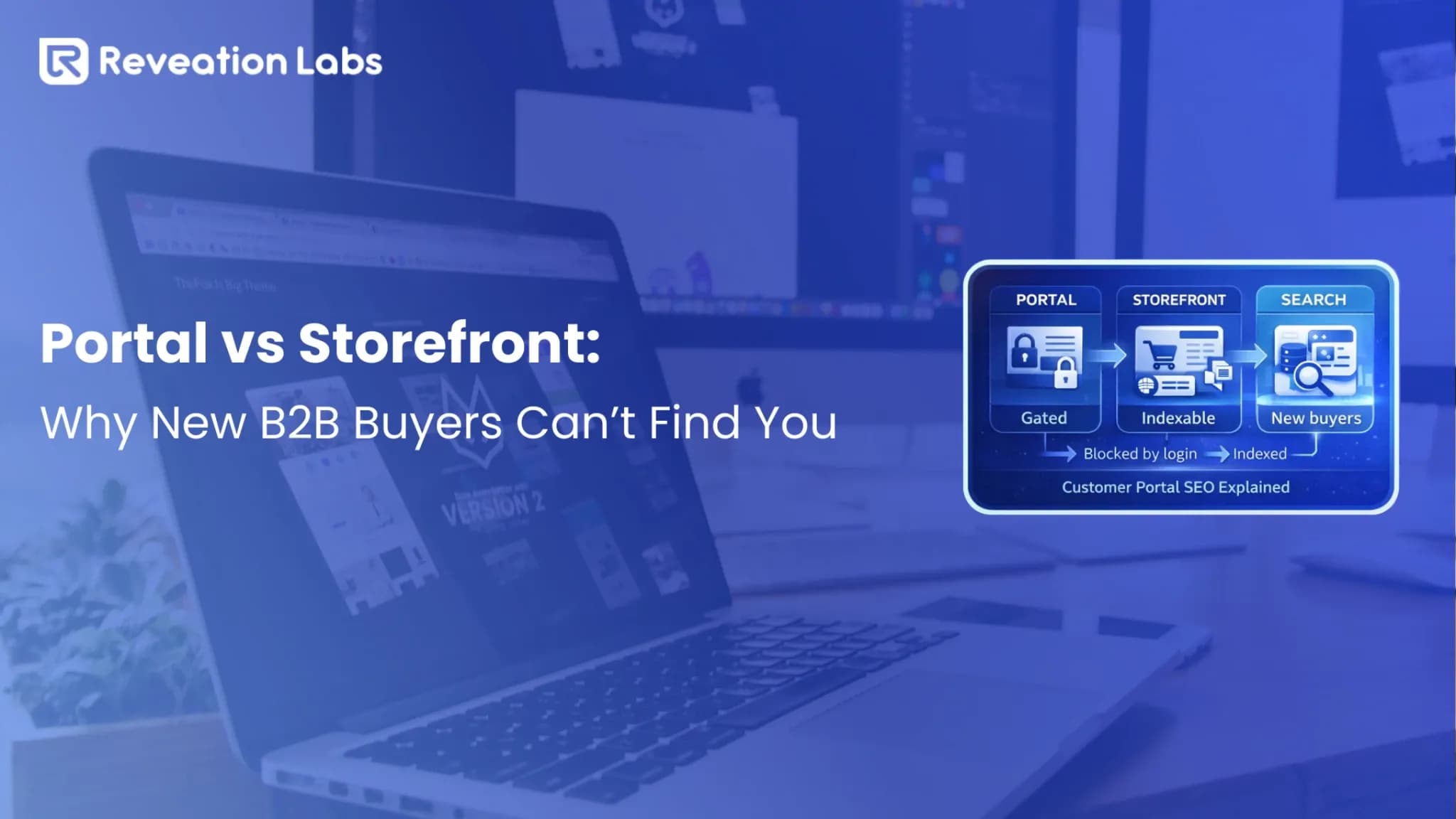
If you are still deciding whether buyers need a portal, a storefront, or both, start with customer portal vs storefront. That choice shapes what you publish for search later. It is not an SEO toggle by itself.
What Should Stay Public
The public-and-private split sits at the center of customer portal SEO. Publish enough for evaluation. Protect the commercial relationship.
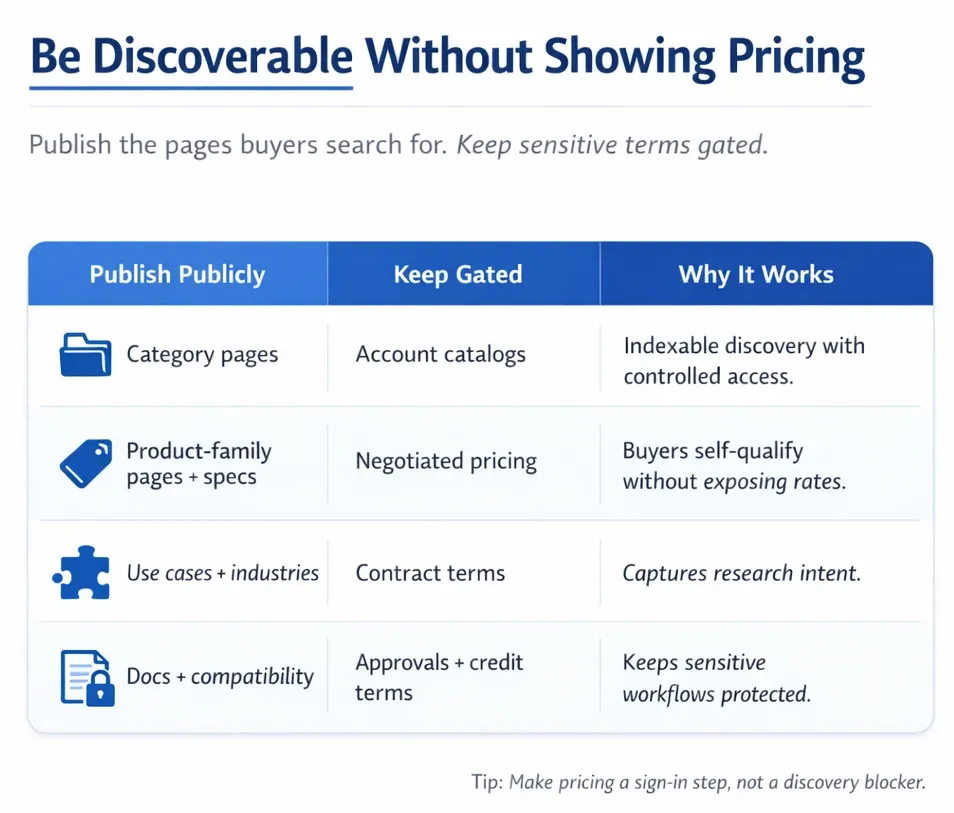
| Make public | Keep private |
|---|---|
| Product categories and families | Customer-specific catalogs |
| General specifications and dimensions | Negotiated pricing and contract terms |
| Applications and use cases | Credit limits and payment terms |
| Compatibility and replacement information | Orders, quotes, and invoices |
| Certifications and public documentation | Approvals, service records, and account data |
You can stay discoverable without showing pricing. Sign in for price, request a quote, or check account availability are enough next actions when the page already answers fit.
What Google Can Access
For public search discovery, Google needs to be able to access useful content without signing in as a customer. In practice, that means Google can find the public URL, load a normal page with real product or technical information, and treat the page as allowed to appear in search.
Allowed into search is not the same as ranking. Do not rely on authenticated product information to support new-buyer organic discovery.
A login-only portal will not carry new-buyer discovery. Why Google can't index portals is why Google never sees that catalog. You still need a public layer around the portal you keep for accounts.
Authentication, noindex, robots.txt, and canonicals do different work. Use the right control for the job:
| Control | What it does | Correct use | Common mistake |
|---|---|---|---|
| Authentication | Prevents anonymous access | Pricing, orders, invoices, account records | Gating all product information |
| noindex | Tells search engines that support the directive not to index a reachable page | Pages that can be crawled but should stay out of Search | Applying it to public categories or product templates |
| robots.txt | Controls crawler access to URLs | Managing unnecessary crawl paths | Treating it as guaranteed deindexing |
| Canonical | Identifies a representative URL among duplicate or very similar URLs | Consolidating true duplicates onto one public product URL | Pointing a public product page at login, session, or unrelated account URLs |
| HTTP status | Communicates availability | Public discovery pages return a successful response | Redirecting every anonymous request to login |
| JavaScript | Builds dynamic experiences | Interactive public pages that still expose useful rendered content | Returning an empty shell or failing private API calls for anonymous users |
Crawling, rendering, indexing, and ranking are separate stages. A valid technical setup makes a page eligible. It does not guarantee indexing or rankings.
Google’s own guidance is clear on the control boundaries. A robots.txt file manages crawling; it is not a secure way to hide pages from Search. Use noindex or authentication when a reachable page should stay out of results.
Use canonicalization to identify a representative URL among duplicates. Do not block a page in robots.txt and then expect Google to read a noindex tag on that blocked page.
Mistakes That Hide Catalogs
Most visibility problems combine a sound privacy decision with a weak public layer. The catalog can stay private on price and still public on fit. These are the usual ways that split goes wrong.
1. You gate all product copy to protect price: Descriptions, dimensions, compatibility, applications, certifications, and documents disappear with the price. Keep contract rates private. Leave enough general information for a buyer to evaluate fit.
2. You treat robots.txt as a deindexing tool: Crawler access and indexability are different controls. Authentication protects sensitive data. noindex is for a reachable page that should not appear in Search.
3. You leave noindex on public templates: A staging setting or copied CMS rule can mark categories and product pages noindex. One inherited rule can remove hundreds or thousands of otherwise useful product pages from organic discovery.
The pages work for people who have the URL and still stay out of Search. Check the rendered HTML after every launch or template change.
4. You create duplicate customer-group URLs: Some platforms generate separate crawlable URLs for customer groups, catalogs, regions, sessions, or pricing states. Search then sees several versions of the same product. Choose one stable public URL, and apply customer-specific data after authentication.
5. You point canonicals at gated pages: Canonicalization helps identify a representative URL among duplicate or substantially similar URLs. A public product page should generally not canonicalize to a login URL, authenticated route, session-specific URL, or unrelated account page when that URL does not represent the same public content.
6. You publish thin pages at scale: Generating hundreds of category, product, location, or application pages does not create value by itself. Every public page should help a buyer answer a real question about fit, application, specifications, compatibility, limitations, or next steps. Avoid pages that only swap a product name, city, industry, or keyword while repeating generic copy.
7. You blame JavaScript for an authentication problem: Google can render JavaScript, but rendering does not let Googlebot sign in as a customer. Separate blocked authentication, empty public HTML, failed private API calls, and login redirects when you diagnose the page.
8. You drop the product after sign-in: The buyer finds a public page, clicks sign in for pricing, and lands on a generic dashboard. Preserve the selected product, SKU, quantity, configuration, and intended next action.
9. You measure traffic without measuring intent: More organic sessions do not automatically create commercial value. Track document views, quote starts, account applications, sign-ins, products carried into the portal, and completed authenticated actions.
One Product Two Experiences
Public and authenticated experiences can use the same underlying product information while applying different commercial rules. That is one of the strongest ways to run customer portal SEO without inventing a second product catalog.
Create one public URL for each category, product family, public product, application, or technical resource you want found. Do not create a crawlable product URL for every customer group or session.
Connect those pages through navigation, category hierarchy, breadcrumbs, related products, and application pathways. A sitemap listing is not a substitute for links people can follow.
Review filter parameters, sorting parameters, customer-group parameters, regional URLs, session identifiers, alternate catalog paths, and document variants. Use canonical tags where true duplicates exist. Remove unnecessary variants from internal links and from the public XML sitemap.
The public XML sitemap should contain canonical, indexable URLs that return successful responses. Exclude login routes, account pages, carts, orders, invoices, session URLs, redirects, and noindex URLs.
PIM, ERP, commerce, CMS, and the portal often share the work. Each system owns a different slice of the public page and the account experience:
- A PIM may own descriptions, attributes, documents, and relationships.
- An ERP may own pricing, inventory, and account terms.
- A commerce platform may assemble the catalog experience and checkout or reorder flows.
- A CMS may own applications, education, and supporting pages.
- The portal and authentication layer apply identity, entitlements, and private workflows.
If those sources drift, the public page and the portal disagree, and buyers stop trusting both. Customer portal SEO is therefore not only a metadata exercise. It is information architecture, product data, integrations, authentication, and portal UX working together.
Public B2B ecommerce search helps new buyers find a family. Portal search helps known accounts retrieve a SKU. Do not tune both as if they were the same job.
How Industries Apply This
Manufacturers
Publish equipment families, performance specifications, compatible components, applications, certifications, public manuals, and maintenance requirements. After sign-in, show contract pricing, approved products, lead times, quotes, and order history.
Distributors
Publish category, brand, and product-family pages with attributes, dimensions, compatibility, replacements, cross-references, and documents. The portal can apply contract pricing, branch availability, credit terms, saved lists, approvals, and reorder tools.
When those buyers are dealers or distributors working under account rules, the authenticated side is usually a dealer and distributor portal, not another public catalog. Keep the public family pages for discovery. Keep account rules inside the portal.
HVAC suppliers
Publish model compatibility, replacement relationships, capacity ranges, installation documents, commercial applications, and certifications. Protect contractor pricing, dealer programs, warranty records, claims, and customer-specific inventory inside the portal.
Parts and equipment suppliers
Publish part numbers, fitment, machine compatibility, alternatives, and technical documents. Keep negotiated pricing, approved substitutes, order history, and customer-specific availability authenticated.
Create Searchable Product Pages
A public page does not need a visible price to help a buyer. It does need enough substance to support evaluation, then a next action that does not dump the product:
- A clear product or service description
- Intended applications and fit criteria
- Important specifications and compatibility
- Materials, construction, or performance details
- Relevant documents and certifications
- Meaningful differentiators and limitations
- A useful next action, such as sign in for pricing, request a quote, contact sales, check account availability, or download a public technical file
If no public price is on the page, omit private offer data from structured markup. Structured data should describe visible content. Placeholder prices and account-specific offers in markup create a mismatch between what a person sees and what a crawler is told.
Preserve Context After Login
The handoff is where customer portal SEO either becomes a quote or a bounce. Carry the product, SKU, quantity, configuration, and intended action securely through authentication without exposing sensitive account data.
An HVAC distributor can publish a public product-family page with compatibility, capacity, dimensions, certifications, and installation documents. A facilities manager finds that page, selects a part, and clicks sign in for pricing. After authentication, they should see the same product and quantity, then contract pricing, branch availability, approved substitutes, and credit terms.
| Journey stage | What you show | Why it exists |
|---|---|---|
| Discovery | Public search result | The buyer finds the product |
| Evaluation | Public product page | They confirm fit |
| Intent | Quote or sign-in action | You capture commercial interest |
| Recognition | Authentication | You apply account identity |
| Transaction | Portal workflow | You apply pricing and approval rules |
| Retention | History and reorder tools | They repeat the purchase |
Before you launch that public layer, run the storefront launch checklist. You need the data, account, pricing, and inventory checks true on day one, or the handoff fails after sign-in.
Audit Customer Portal SEO
Fixing one inspected URL will not repair a template, canonical rule, or authentication pattern. Look for the same failure across the template, then use this checklist:
- Inventory URL groups: categories, products, applications, documents, login routes, account pages, and transaction pages.
- Inspect public pages: HTTP status, rendered HTML, indexability, canonical tags, titles, headings, and visible content.
- Review crawler controls: robots.txt, robots meta, X-Robots-Tag, authentication redirects, firewall rules, and CDN bot controls.
- Review discovery paths: navigation, categories, breadcrumbs, related products, applications, and contextual links.
- Assess content: purpose, fit, specifications, alternatives, limitations, and next steps.
- Test the handoff: pricing requests, quotes, registration, sign-in, product carryover, and return paths.
- Review Search Console: page indexing, URL inspection, crawl stats, and sitemap reporting.
Look for patterns across templates. If every family page canonicalizes to login, that is one fix, not a hundred page edits.
Measure the Portal Handoff
Organic traffic alone is not the business outcome. Connect public visibility with authenticated work.
| Stage | What you count |
|---|---|
| Visibility | Indexed pages, impressions, non-branded clicks, product-family visibility |
| Evaluation | Product engagement, document downloads, comparisons, internal navigation |
| Intent | Quote starts, pricing requests, contact actions, account applications |
| Portal handoff | Sign-ins, registrations, products carried into the session, completed authenticated tasks |
| Commercial contribution | Qualified opportunities and assisted pipeline, using an attribution model you already trust |
A public page may introduce the buyer, support later research, or influence an opportunity without last-click credit. Define that model before you claim organic created revenue.
Choose an Implementation Path
Choose the smallest change that restores discovery. Do not replace a platform to fix gated content, a robots rule, or a missing public family page. Confirm whether the root cause sits in content, configuration, data, integration, or architecture.
| Path | Choose it when | Typical work |
|---|---|---|
| Optimize | Public pages exist, but controls, content, linking, or handoffs are weak | Fix templates, canonicals, depth, internal links, and sign-in return paths |
| Add a public layer | The portal serves accounts, and useful product information is still gated | Publish stable category, family, application, and technical pages |
| Modernize | The platform creates duplicate URLs, conflicting data, or development bottlenecks | Improve data ownership, APIs, rendering, content management, and identity handoffs |
| Replace | Architecture, security, integration, or URL limits block the required journey | Only after you confirm the root cause is not content, configuration, or a missing public layer |
If you are still deciding how to build the portal itself, not how to make products findable, start with dealer portal build or buy. When you are ready to scope the full portal experience around that public layer, start with B2B customer portals.
Connect Discovery With Secure Action
Start with one high-value journey. Name what the buyer searches, what they must see before login, what stays private, and what should happen after sign-in.
At Reveation, we help you connect public discovery with the account workflows that must stay private. That work usually spans SEO, information architecture, product data, PIM and ERP alignment, commerce and CMS assembly, authentication, portal UX, integrations, and measurement. Request a B2B eCommerce Discovery Sprint to define the public versus gated split and the portal handoff.
Ready to test your replatform readiness?
Book a scoped working session with Reveation Labs. We will help you clarify the gaps that matter before you commit the next build.