Introduction
Are you thinking about moving from BigCommerce to Shopify Plus for your online store? It is a big decision that challenges your current way of doing things. But have you considered how much room to grow you might be leaving on the table by staying put?
A lot of brands such as 4ocean, Dermelect, Coastal Vintage and more migrated from BigCommerce to Shopify Plus because they want more freedom and better performance. Shopify Plus isn't just another platform; it's built to be reliable, easy to use, and scalable.
Merchants are thinking about their alternatives again, especially because there are some questions about where BigCommerce is going in the long term.
So, what do you really need to do to make your BigCommerce to Shopify migration successful? What mistakes do people often make that you should stay away from? And how can you be sure that you will be stronger on the other side? Let's talk about the best ways to move from BigCommerce to Shopify Plus, using information that may be hard to locate yet easy to understand.
Why Are So Many Brands Migrating from BigCommerce to Shopify Plus?
Have you ever wondered why brands don’t just stick with BigCommerce and migrate to Shopify? As your business grows, so do your demands. BigCommerce can feel more and more limiting when you require more flexibility, faster speed, or more integrations.
Here's why more and more brands are choosing Shopify Plus:
Market Leadership
Shopify dominates with nearly 73% market share among top direct-to-consumer brands. This broad adoption drives continuous platform innovation and reliability.
Superior Website Speed and Stability
Shopify offers faster page loads and better uptime, which directly translates to higher conversion rates and improved SEO.
Extensive App Ecosystem
With nearly 8,000 apps, Shopify’s ecosystem is much larger than BigCommerce’s, allowing easier and faster feature expansion without heavy developer involvement.
Higher Conversion Rates
Stores on Shopify convert visitors to customers about 12% more effectively, thanks to optimized checkout and user experience.
Lower Total Cost of Ownership
Shopify includes many essential tools by default, reducing the need for costly add-ons and customizations, saving money over time.
Continuous Innovation
Shopify invests billions annually in R&D, regularly rolling out new features and staying ahead of market trends.
Global Expansion Support
Shopify Plus natively supports multiple storefronts, currencies, and languages, simplifying international growth.
If your BigCommerce store is slow, hard to update, or holding back your growth, switching from BigCommerce to Shopify Plus can be the upgrade your business needs to stay competitive.
Pre-Migration Planning
Is early and thorough preparation the key to a successful migration, highlighting the best practices for migrating ecommerce store to Shopify Plus? Absolutely.
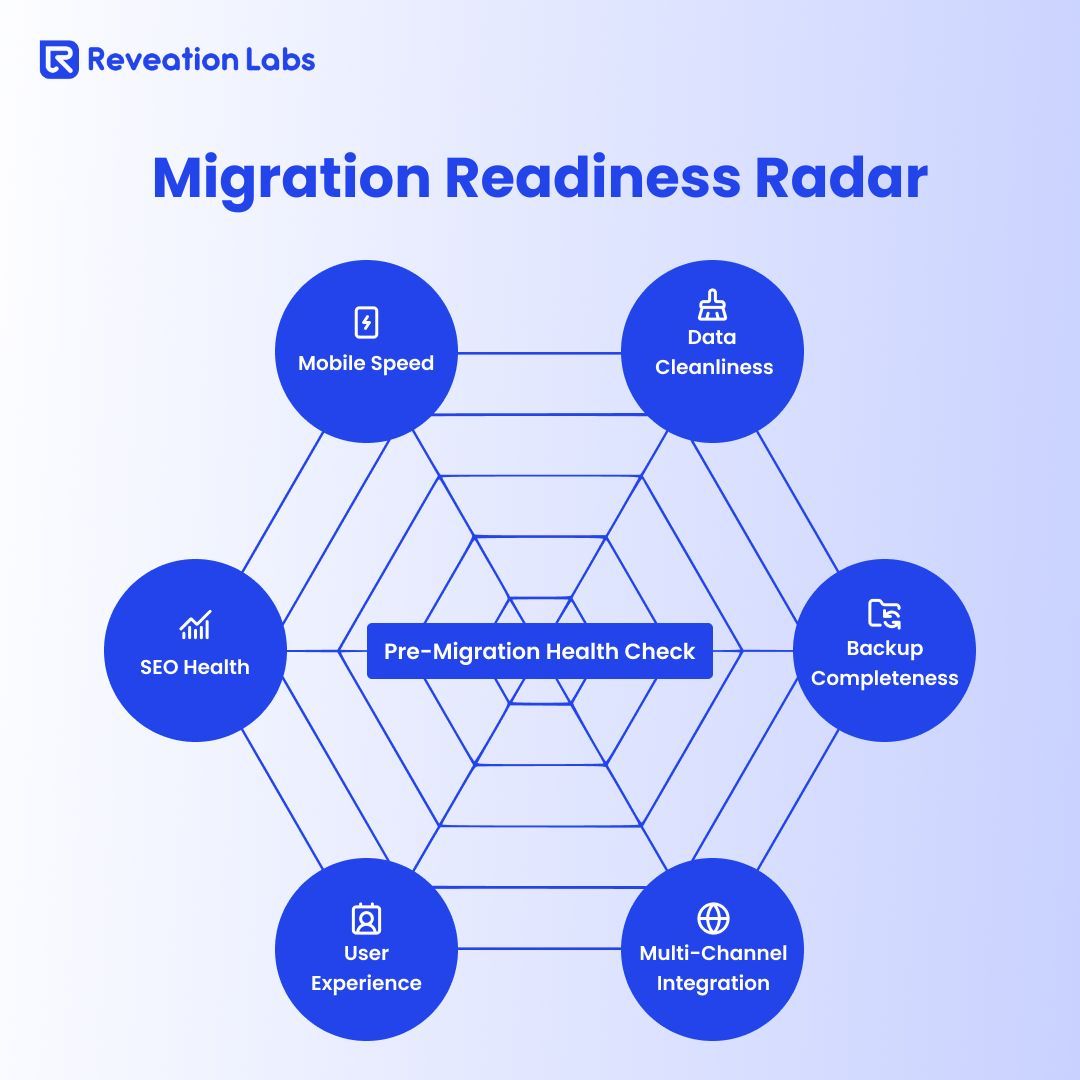
If you get in without a plan, a lot can go wrong. Before migrating from BigCommerce to Shopify Plus, you need to do these important things.
1. Set Clear Goals for the Migration
Better mobile page speed? More SEO-friendly pages? A simpler checkout? Clear goals guide your migration decisions and help you measure success afterward.
2. Audit Your BigCommerce Store Thoroughly
When was the last time you looked at every corner of your store? Inventory, variants, customer lists, blogs, and images? Take stock now. Do you need everything? It can save you a lot of trouble later to get rid of duplicates, old products, or inactive client accounts.
3. Tidy Up Data and Store Structure
Shopify organizes products into collections instead of categories. Do you know how that will affect your current catalog? Review your navigation and product data. Clean client records and order info to avoid bringing unnecessary clutter with you.
4. Backup All Your Data
Make copies of all your BigCommerce data, including goods, orders, customers, blog posts, and photographs, and keep them safe. You’ll thank yourself if you need to reference old data during migration. Remember, customer passwords cannot be moved for security reasons, so be prepared for customers to reset passwords on the new platform.
How to Choose the Right Migration Approach
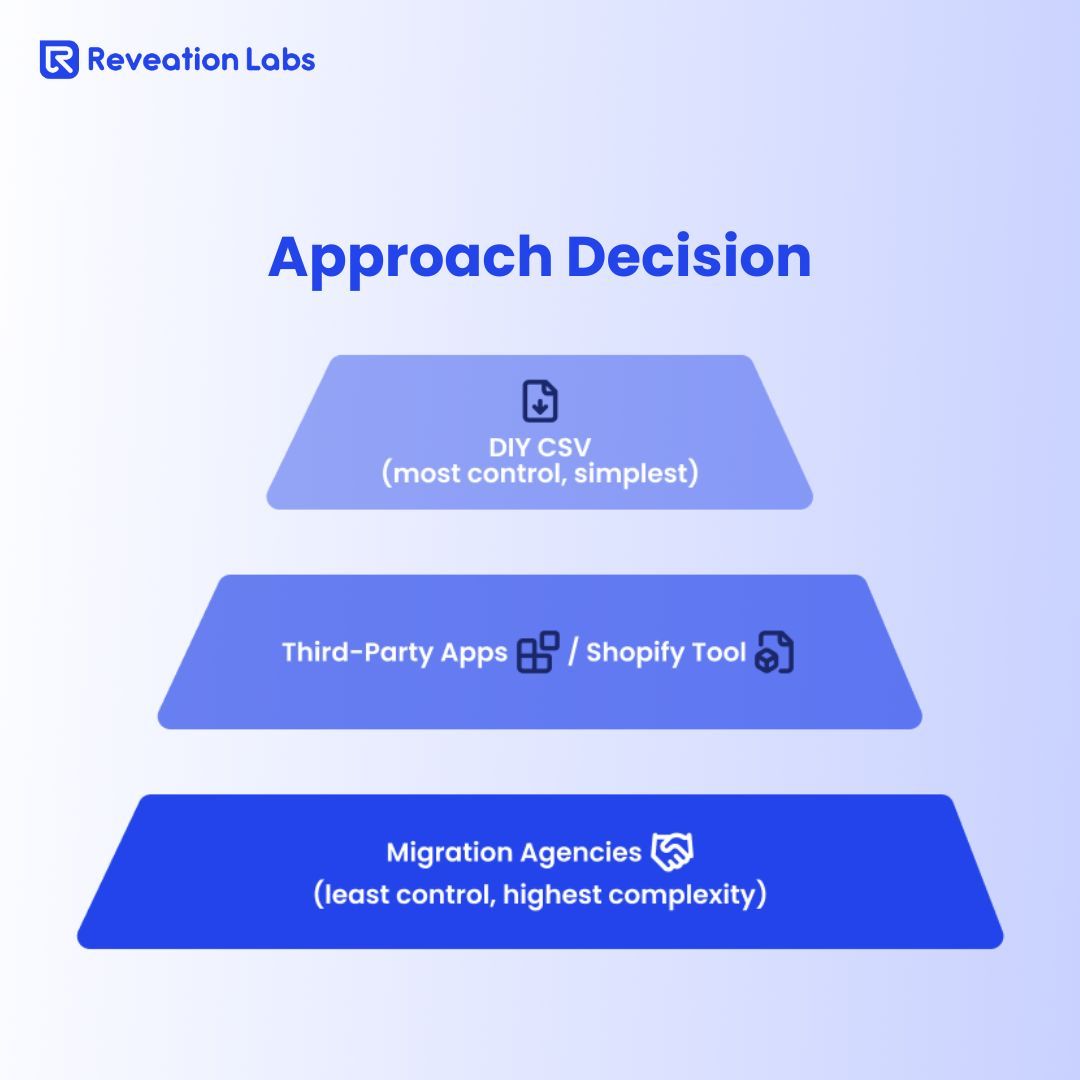
Are you thinking about doing it yourself or getting help? Your skill level, finances, and the store's level of difficulty will determine the best way to go.
Manual CSV Migration
If your store is small or your team is good with spreadsheets, you can move things by hand by exporting and importing CSV files. But this process takes a long time, and with bigger establishments, mistakes are common.
Shopify’s Native Tools
Shopify offers free/paid store data importer tools like the Store Importer app and the Transporter app for Plus merchants. They make it easier and faster to move items, customers, and orders. But they don't fully handle SEO, content, or theme migration, so you'll have to do some work by hand after that.
Third-Party Migration Services
If you have a large or complex store, tools like LitExtension, Cart2Cart, or Matrixify automate much of the heavy lifting.These cost money, but they make moving easier, cut down on downtime, and keep data accurate.
Hire Shopify Plus Experts
For those migrating high-traffic, multi-store, or heavily customized setups, hiring an expert or agency specializing in Shopify Plus can be invaluable. Using their experience pays off by ensuring data integrity, SEO preservation, and a tailored design with minimal disruption.
Choosing the right B2B eCommerce solutions during migration helps ensure a smooth transition, preserving data integrity and enhancing long-term scalability.
Step-by-Step Guide to Data Migration
Regardless of your chosen method, these are the crucial stages in the migrating from BigCommerce to Shopify Plus journey.
1. Export BigCommerce Data: Use BigCommerce's export tools to get all of your media files, products (including variants and SKU information), customers, and orders. A lot of the time, blogs and pages need to be copied by hand.
2. Import into Shopify Plus: First, set up the essentials of your store, like shipping, taxes, and payments. Then, using tools like Transporter, you can import your product catalog, upload client information, and even old orders if you want to.
3. Check and Clean Up: Check the details of the goods and the consumer very carefully. Check orders to make sure they are correct. Put products into groups and finish the navigation menus. Check out your Shopify store in both the admin and live views and rectify any problems.
Rebuilding and Optimizing Your Store on Shopify Plus
Did you know the migration is your chance to give your storefront a fresh start? You don’t have to replicate BigCommerce’s limitations. You can customize with Shopify for more growth.
Pick a Theme That Works for Your Brand
Shopify Plus gives you access to exclusive, professionally designed themes. Choose one that prioritizes mobile responsiveness, quick load times, and flexibility. Developers can even customize full themes with Liquid, Shopify's templating language.
Recreate Collections and Navigation
BigCommerce categories don't directly match up with Shopify collections. Make sure to plan how you categorize your products properly. Customers can locate what they want and buy it more easily with mega menus and the option to filter by size, color, or brand.
Replace Missing Features with Apps
Some BigCommerce features might not migrate. Check out Shopify's huge App Store for other options, such as product reviews, wishlists, custom forms, deals, and loyalty programs. Shopify Flow features can automate a lot of backend activities to save time.
Optimize Content and Speed
Optimize images with built-in tools or apps like TinyIMG to improve load times. Update meta tags, headers, and internal links consistently. A lean, SEO-optimized site improves user experience and search rankings.
Expert B2B eCommerce consulting helps businesses plan each migration phase strategically — from data mapping to theme customization.
SEO and Redirect Strategy
Did you know not mapping URLs carefully during a migrating from BigCommerce to Shopify process can cost you your organic traffic?
Broken links and 404 errors hurt both users and Google rankings.
Map all BigCommerce URLs to their Shopify equivalents.
Set up 301 redirects for every old URL that changes.
Transfer meta titles, descriptions, and image alt tags.
Submit the new sitemap in Google Search Console promptly after launch.
Check your rankings and traffic often, and solve any crawl mistakes right away.
Post-Launch: Maintain Momentum
Launching is not the finish; it's the start of growth.
Use automation solutions like Shopify Flow from Shopify Plus to make things run more smoothly.
Send customers an email with clear steps and incentives to change their passwords.
Keep a close eye on your site's analytics and SEO rankings.
Keep your app inventory neat by getting rid of anything that makes your shop run slowly.
Combine marketing channels like email sequences, social media adverts, and loyalty programs.
Schedule regular performance checks to avoid surprises.
Conclusion
Are you ready to use a platform that develops with you? To migrate BigCommerce to Shopify Plus is a smart choice that can help you get faster, grow your business, and give your customers better experiences.
You may avoid expensive mistakes by carefully planning, using the correct tools, and testing everything thoroughly. After your store is open, you should keep an eye on it to make sure it keeps getting better.
Keep in mind that stores that move with confidence and thought will be successful in the future. Start getting ready now if you want your move to go well and unlock all of Shopify Plus's features.
Migrating from BigCommerce to Shopify Plus is a growth-focused decision, but success depends on proper planning and execution. Partnering with an experienced Shopify Plus development company ensures a smooth migration, helping you unlock the platform’s full potential while avoiding costly setbacks.
FAQs
1. How long does migrating from BigCommerce to Shopify Plus usually take?
2. Will my SEO rankings be affected when migrating to Shopify Plus?
3. Can I migrate my customer data and order history completely?
4. Do I need a developer to help with migrating from BigCommerce to Shopify Plus?
It depends on your store's complexity and your team's technical skills. Smaller stores may manage with CSV imports and Shopify’s built-in tools. For larger or customized stores, hiring an experienced Shopify Plus expert or development partners, reduces risks and ensures a smoother transition