Your largest customers still call or email your team instead of using your online portal. You may already offer digital catalogs, online ordering, and account access, yet buyers still rely on sales representatives for pricing, availability, quotes, and repeat orders.
That pattern does not always signal buyer resistance. It often signals friction somewhere in the digital journey.
Strong B2B customer engagement eCommerce helps buyers complete meaningful work online. Buyers should find products, view accurate account data, place orders, track purchases, solve routine problems, and reorder without unnecessary effort.
The commercial stakes keep rising. Gartner research found that 67% of B2B buyers prefer a rep-free experience. Sana Commerce research also found that 73% of B2B buyers prefer buying online, while 85% experience online-purchasing frustrations and 75% would consider switching suppliers for a better experience.
Buyers want digital control, but they will not tolerate inaccurate information, incomplete workflows, or generic experiences.
What B2B Customer Engagement eCommerce Looks Like
Definition: Customer engagement describes the repeated actions business buyers take across digital purchasing, account management, service, and reordering.
Customer experience, customer satisfaction, and customer engagement describe different parts of the relationship.
| Concept | Question It Answers | Example |
|---|---|---|
| Customer experience | How easy and reliable did the interaction feel? | A buyer found the correct part and saw an accurate delivery date. |
| Customer satisfaction | How did the buyer evaluate the interaction? | The buyer rated the ordering process positively. |
| Customer engagement | Did the buyer return and keep using the channel? | The buyer used a saved list to place the next order online. |
Engaged buyers take actions that create value for their companies and reduce avoidable manual work for suppliers.
- They activate their accounts and return regularly.
- They find the right products without calling for help.
- They view accurate contract pricing and availability.
- They build orders through saved lists or templates.
- They request, review, and approve quotes.
- They track shipments and access invoices.
- They reorder without re-entering the same information.
- They contact sales when a transaction requires human judgment.
A useful digital experience must also match the buyer’s job. Some buyers need a product-first storefront with search, comparisons, and merchandising. Others need an account-first portal with invoices, approvals, order history, service records, and repeat ordering.
Our portal comparison explains how buyer jobs should guide that decision.
Why Buyers Stop Using B2B Portals
Teams often blame low portal adoption on customer habits. Habits matter, but buyers also make rational choices.
A phone call can feel faster when the portal shows the wrong price. An email can feel safer when buyers cannot confirm inventory. A spreadsheet can feel easier when the storefront does not support bulk ordering or account approvals.
Our analysis of buyer behavior explains why trust, workflow gaps, and unreliable information push buyers back to manual channels.
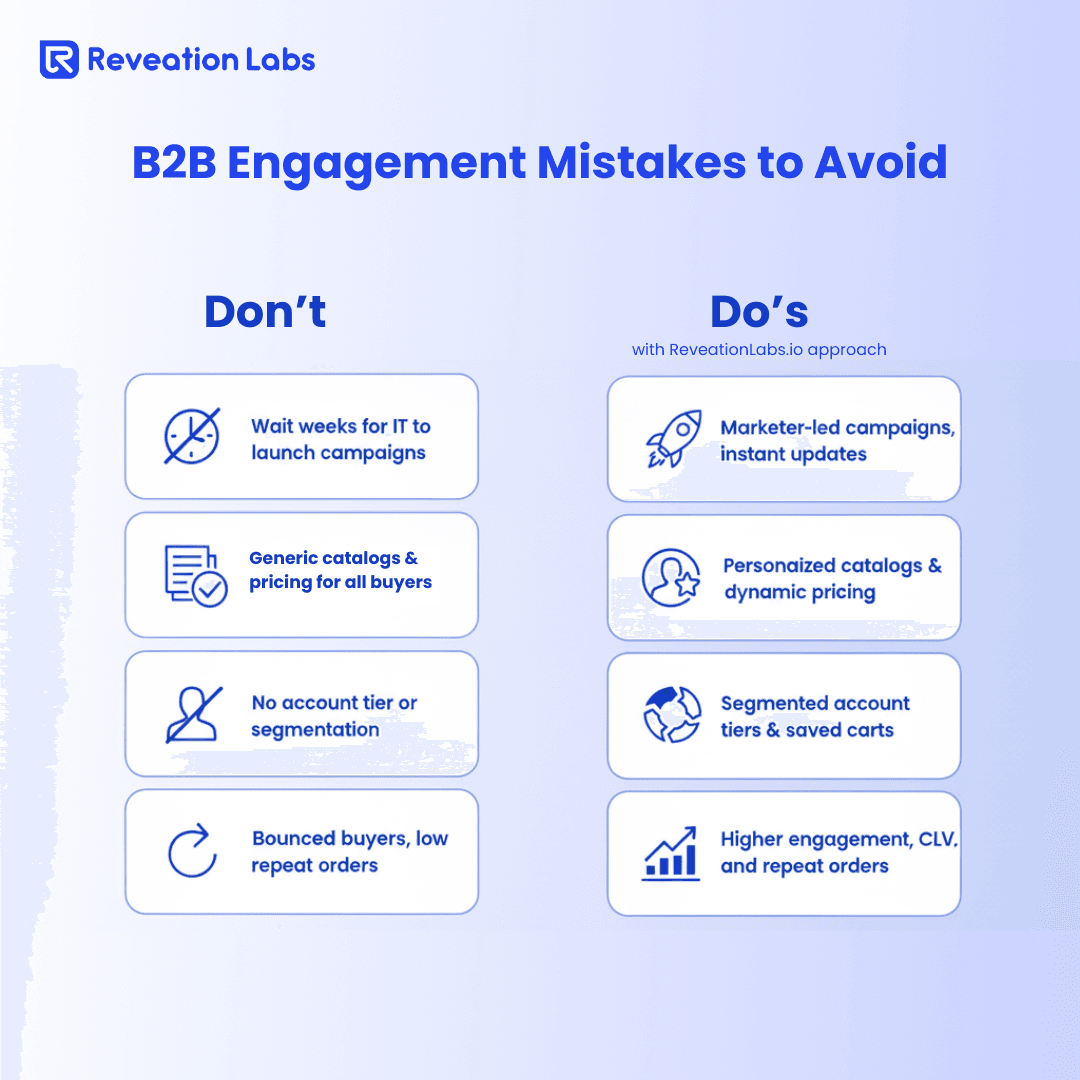
These mistakes weaken B2B customer engagement eCommerce:
| Common Mistake | Buyer Experience | Consequence | Better Direction |
|---|---|---|---|
| Generic catalogs and pricing | The buyer sees irrelevant products or incorrect terms. | The buyer abandons the portal or requests confirmation. | Use account-specific catalogs and contract pricing. |
| Delayed inventory data | The buyer cannot trust availability or lead times. | The buyer calls sales before ordering. | Connect commerce with ERP and fulfillment data. |
| Weak search and filtering | The buyer cannot locate a product by SKU or specification. | The buyer exits or sends a product request. | Improve structured product data and B2B search. |
| Missing approvals | The requester cannot route an order to an approver. | The account returns to email and spreadsheets. | Add roles, permissions, and approval routing. |
| Portal-only self-service | The buyer reaches a dead end during an exception. | The buyer abandons the digital journey. | Let sales continue the same transaction. |
| Weak onboarding | Users do not understand portal features or access. | The account registers but never adopts the channel. | Guide each role through high-value tasks. |
| IT-dependent updates | Business teams cannot improve journeys quickly. | Friction remains for months. | Give teams governed control over changes. |
Important: Do not try to eliminate every phone call. Complex purchases often require consultation. Remove the calls buyers make only because the digital channel failed.
The ENGAGE Framework for B2B Customer Engagement eCommerce
We use six connected priorities to turn portal availability into repeat digital behavior.
E Enable Fast, Role-Based Onboarding
Customer engagement starts before the first order. Buyers need a simple path from registration to useful account access.
Do not send every user into the same dashboard. Procurement managers, branch buyers, finance users, and account administrators perform different tasks. Give each role the right permissions, information, and next step.
- Match each user with the correct company account.
- Confirm purchasing authority and approval limits.
- Assign catalog and pricing access.
- Introduce saved lists, quick order, invoices, and tracking.
- Guide the user toward the first meaningful action.
Track account activation, time to first login, time to first order, and first-month return rate. These measures reveal whether registration creates engagement or simply adds names to a database.
N Navigate Buyers to the Right Products
B2B buyers often search with exact requirements. They may enter a SKU, manufacturer part number, technical specification, equipment model, compatibility rule, or internal purchasing term.
Standard keyword search may not understand those inputs. Weak product data can make the problem worse.
- Support SKU and part-number searches.
- Add technical and compatibility filters.
- Show product comparisons and substitutes.
- Display customer-specific assortments.
- Show clear availability and lead times.
- Provide specifications and documentation.
Review zero-result searches every week. They show what buyers need but cannot find. Also track search exits, product clicks, product-page-to-cart rate, and time to product.
Our search guide explains how B2B teams can support part numbers, technical language, and industry-specific product discovery.
G Give Every Account a Relevant Experience
B2B personalization should reflect real commercial relationships. It should not stop at inserting a company name into a banner.
A relevant portal understands the customer’s account, role, permissions, pricing agreement, product eligibility, location, order history, and buying patterns.
- Account-level personalization: Show contract pricing, approved products, credit terms, account documents, and negotiated services.
- Role-based personalization: Show procurement users product details, managers approval queues, and finance users invoices and payment information.
- Behavior-based personalization: Suggest reorders, replenishment items, accessories, substitutes, or relevant content.
Give buyers helpful shortcuts without hiding essential choices. A saved order template may create more value than a complex recommendation engine.
Our personalization guide covers custom catalogs, permissions, search, and streamlined reordering.
A Allow Buyers to Complete Routine Work
A useful portal supports more than checkout. It helps customers manage their accounts before and after each order.
- Quick order and bulk upload
- Saved lists and reorder templates
- Quote requests and approvals
- Purchase-order checkout
- Order status and shipment tracking
- Invoice and statement access
- Returns and warranty requests
- Product and compliance documents
- Support cases and service history
- User and permission management
Select capabilities according to buyer volume and support demand. Do not add features because competitors list them. Add features because they remove frequent customer tasks from manual queues.
Our self-service portals connect purchasing, order management, invoices, service, and account workflows.
Practical check: List the ten most common reasons customers contact sales or service. Separate the contacts that require expertise from those that only request information or routine account actions. Start your self-service roadmap with the second group.
G Guide Buyers Across Digital and Human Channels
Self-service should not trap the buyer inside the portal. A buyer may need help with a configured product, a large quote, a delivery exception, or a contract change.
Give sales and service teams access to recent portal activity, search history, saved carts, open quotes, approval status, orders, support cases, account permissions, and pricing context.
Let a representative continue the transaction from the buyer’s current position. Do not force the buyer to repeat product numbers, quantities, delivery requirements, or account information.
This hybrid model strengthens B2B customer engagement eCommerce because buyers can choose self-service for routine work and human support for complex decisions.
E Evaluate Engagement Continuously
Do not judge engagement through total traffic alone. A spike in visits may hide failed searches, abandoned quotes, or customers who log in only to find a phone number.
Set a baseline before you change the experience. Then compare behavior by account tier, role, industry, region, customer age, and order type.
- Review failed and abandoned searches.
- Track incomplete registrations.
- Identify unused portal features.
- Review abandoned carts and quotes.
- Categorize manual order reasons.
- Analyze support contacts.
- Collect feedback from buyers and account teams.
Turn each signal into a testable improvement. Fix one journey, measure the result, and expand what works.
Build an Engagement Scorecard
A useful scorecard connects buyer behavior with operational and commercial outcomes. It gives teams a shared view of whether B2B customer engagement eCommerce improves.
| Business Goal | Engagement Metric | Operational Metric | Commercial Metric |
|---|---|---|---|
| Increase portal adoption | Monthly active-account rate | Time to first digital order | Digital revenue share |
| Improve discovery | Search-success rate | Product-information requests | Product-page conversion |
| Increase self-service | Task-completion rate | Assisted-order rate | Cost to serve |
| Improve quoting | Quote engagement | Quote turnaround time | Quote-to-order conversion |
| Increase reorders | Reorder-feature usage | Reorder processing time | Purchase frequency |
| Improve retention | Engagement by account | Escalations per account | Account retention |
Use a small scorecard that teams can review consistently. A dashboard with fifty disconnected metrics creates noise.
- Adoption: Active accounts as a percentage of eligible accounts
- Journey: Successful completion of a priority buyer task
- Efficiency: Orders or inquiries that require manual support
- Commercial: Digital reorder rate or revenue per active account
- Experience: Customer effort for the selected journey
Do not apply the same target to every account. A national distributor and a small local buyer may follow different engagement patterns. Compare accounts with similar needs and purchasing behavior.
What Technology Supports Better Engagement?
Customer engagement depends on more than the storefront interface. Pricing, product data, inventory, account rules, orders, and service information usually live across several systems.
- ERP: Pricing, credit, inventory, and order data
- CRM: Account and relationship information
- PIM: Product specifications and digital assets
- OMS: Order orchestration and fulfillment status
- CPQ: Complex configurations and quotes
- Service systems: Cases, warranties, and support history
- Analytics: Journey and account-level measurement
Assign clear ownership to every data type. Buyers lose trust when two systems show different prices, inventory levels, or delivery dates.
Choose an architecture that lets your team improve B2B customer engagement eCommerce without breaking core transactions. APIs, modular services, and clear data contracts can help teams change one part of the journey without rewriting the entire platform.
Our architecture guide explains how teams can connect accounts, product data, pricing, approvals, inventory, orders, payments, fulfillment, and service systems.
Technology should support the engagement strategy, not define it. Start with the buyer task, identify the required business rules and data, and then evaluate whether the current platform can support the journey reliably.
Optimize, Modernize, or Replatform?
Low engagement does not always require a new platform. Weak onboarding, confusing navigation, or missing product content may require focused optimization. Other problems reveal deeper constraints.
| Path | Choose This Path When | Example Actions |
|---|---|---|
| Optimize | The platform supports core workflows, but buyers struggle with usability or adoption. | Improve onboarding, search, navigation, content, analytics, and journey guidance. |
| Modernize | The platform handles transactions, but rigid integrations slow improvement. | Add APIs, improve synchronization, and introduce modular components. |
| Replatform | The platform cannot support essential account logic, integrations, scale, or self-service workflows. | Select a better-fit foundation and migrate through controlled phases. |
Ask these questions before choosing a path:
- Can buyers complete common tasks without workarounds?
- Can the portal show accurate pricing and inventory?
- Can the platform support company hierarchies and approvals?
- Can business teams launch governed changes quickly?
- Can sales teams continue digital journeys with full context?
- Can the architecture support the next three years of growth?
- How much manual effort does the current platform create?
Our platform assessment helps leadership teams evaluate buyer friction, integrations, change velocity, and strategic fit.
When the platform forces teams to preserve broken workflows, consider a strategic reset. Our replatforming guide explains how teams can reduce migration risk instead of moving old constraints into a new interface.
A 90-Day Improvement Plan
You do not need to redesign every buyer journey at once. Use a focused 90-day plan to improve B2B customer engagement eCommerce through one frequent, high-friction task.
Days 1-30: Diagnose
Map the buyer journey from account access through post-purchase service. Interview buyers, account managers, customer-service teams, operations, marketing, and IT.
- Identify high-volume manual requests.
- Review portal usage by account and role.
- Analyze failed searches and abandoned workflows.
- Verify pricing, product, inventory, and order data.
- Establish baseline metrics.
- Select one priority journey.
Choose a journey with enough volume to measure and enough friction to matter.
Days 31-60: Improve and Pilot
Redesign the priority journey around the buyer’s task. You might simplify registration, improve part-number search, expose account pricing, add a saved-order template, or connect shipment tracking with the ERP.
- Define the target buyer segment.
- Resolve the underlying data issue.
- Simplify the workflow.
- Add analytics to each major step.
- Test with representative accounts.
- Give sales and service teams visibility.
Do not measure success through positive comments alone. Track whether buyers complete the task faster and contact your team less often.
Days 61-90: Measure and Expand
Compare pilot behavior with the baseline. Review adoption, completion, support contacts, transaction time, and commercial results.
- Fix remaining exceptions.
- Document the new workflow.
- Train customer-facing teams.
- Expand the improvement to another segment.
- Prioritize the next buyer journey.
- Update the platform roadmap.
This cycle gives leadership a practical way to improve engagement without turning every idea into a large transformation program.
Better Buyer Workflows Drive Engagement
B2B customer engagement eCommerce does not grow because a company launches a portal, adds more features, or sends more campaigns.
It grows when buyers trust the information, complete meaningful work, receive relevant account experiences, and move between self-service and human assistance without losing context.
Start with one question:
Which important task still forces customers to call, email, or use a spreadsheet?
Map that task, measure the current effort, and remove the friction. Then repeat the process across the customer lifecycle.
At Reveation, we help manufacturers, distributors, wholesalers, and other B2B companies connect commerce, customer portals, enterprise data, and operational workflows. We start with how customers buy and how internal teams work, not with a generic feature list.
Explore our customer portals to see how we support ordering, account management, service, and repeat engagement.